
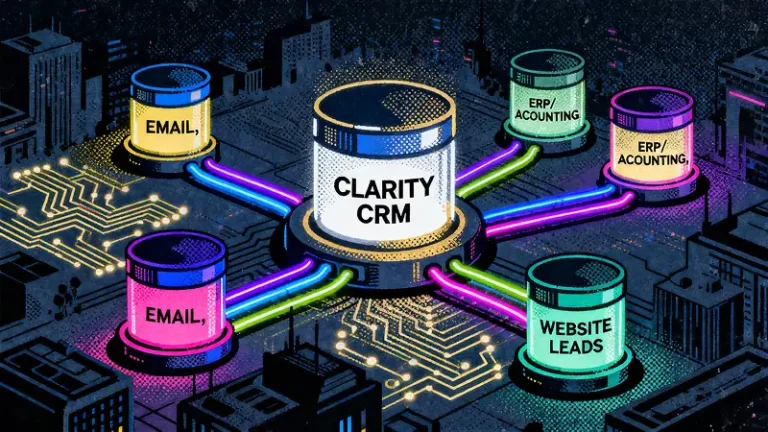
If your business is juggling multiple disconnected tools for marketing, customer management, invoicing, and operations, you aren’t just losing time—you are losing revenue.
Fragmented systems lead to inconsistent data (is that customer’s phone number in Outlook or the accounting software?), costly manual errors, and user frustration. As a growing company, your team shouldn’t have to act as “data entry clerks.” They should be focused on selling and serving customers.
This is where customizable CRM integration for small business becomes a game-changer. It doesn’t just “connect” tools; it creates a single source of truth that works exactly the way your unique business does.
In this guide, we’ll explain how CRM API integration works—without the confusing technical jargon—and how Clarity CRM makes it easy for businesses of any size.
What Is CRM API Integration? (Simply Put)
Think of an API (Application Programming Interface) as a universal translator. It allows your website, accounting software, and email platform to “speak” directly to your CRM, even if they were built by completely different companies.
You don’t need to be a developer to understand the benefit: Automation.
Instead of hiring more staff to manually copy-paste data from one screen to another, the API handles the busy work instantly and accurately. For a small business operating on tight margins, this efficiency is critical.
4 Ways Integration Transforms Your Business
1. Stop Switching Tabs (Email Integration)
Your sales team shouldn’t have to write an email in Outlook or Gmail and then manually log it into the CRM. This creates friction and often leads to missing data.
- Reps work in their preferred email client.
- Emails are saved to the CRM with a single click.
- Communication history is always up-to-date.
Why Clarity? We handle the complex security protocols in the background so your team can focus on closing deals, not configuring connections.
2. Connect Back-Office to Front-Office (ERP & Accounting)
Sales teams often fly blind regarding invoice status or inventory because that data lives in a separate ERP or accounting system.
By connecting Clarity CRM with tools like QuickBooks or Xero, you bridge this gap:
- Inventory Visibility: Sales reps can see stock levels in real-time before promising a delivery date.
- Payment Status: See if a customer has paid their last invoice without calling the finance department.
- Order History: View a customer’s entire e-commerce purchase history instantly.
3. Capture Leads Instantly (Speed = Revenue)
Manually downloading leads from your website and uploading them to a CRM is a slow process that kills conversion rates.
With API integration, a lead from your website flows directly into Clarity CRM the second they hit “Submit.” This ensures:
- Faster Follow-up: The lead is instantly assigned to the right rep.
- Better Context: You know exactly which marketing campaign brought them in.
- Higher ROI: You stop losing leads in the “manual entry” void.
4. Build Custom Modules (Your Workflow, Not Ours)
This is the most critical point for growing companies looking for customizable CRM integration for small business. Most “standard” CRMs force you to change your processes to fit their rigid software.
Clarity CRM works the other way around.
Every business is unique, and using our flexible API, you can extend Clarity CRM to handle specific needs like:
- Capturing field inspection data.
- Automating complex sales commission calculations.
- Managing vendor RFPs.
- Tracking specialized project milestones.
If you can imagine the workflow, Clarity CRM can likely be customized to track it—without the enterprise-level price tag.
Why Choose Clarity CRM?
You don’t need a team of developers to understand the value of a connected business. You just need a CRM that is powerful enough to handle integrations, yet simple enough to use every day.
While other platforms make you pay for expensive consultants to set up basic connections, Clarity CRM is built to be easy to use and fully customizable.
Don’t let disconnected data slow you down.
Ready to Centralize Your Business?
See how easily your systems can talk to each other. Request a demo today and let us show you how Clarity CRM fits your unique business needs.
For a trusted overview of API integration basics, you can review Cloudflare’s API explanation.