
CRM Project Management Software
Keep Customer Work Connected From Sale to Delivery.
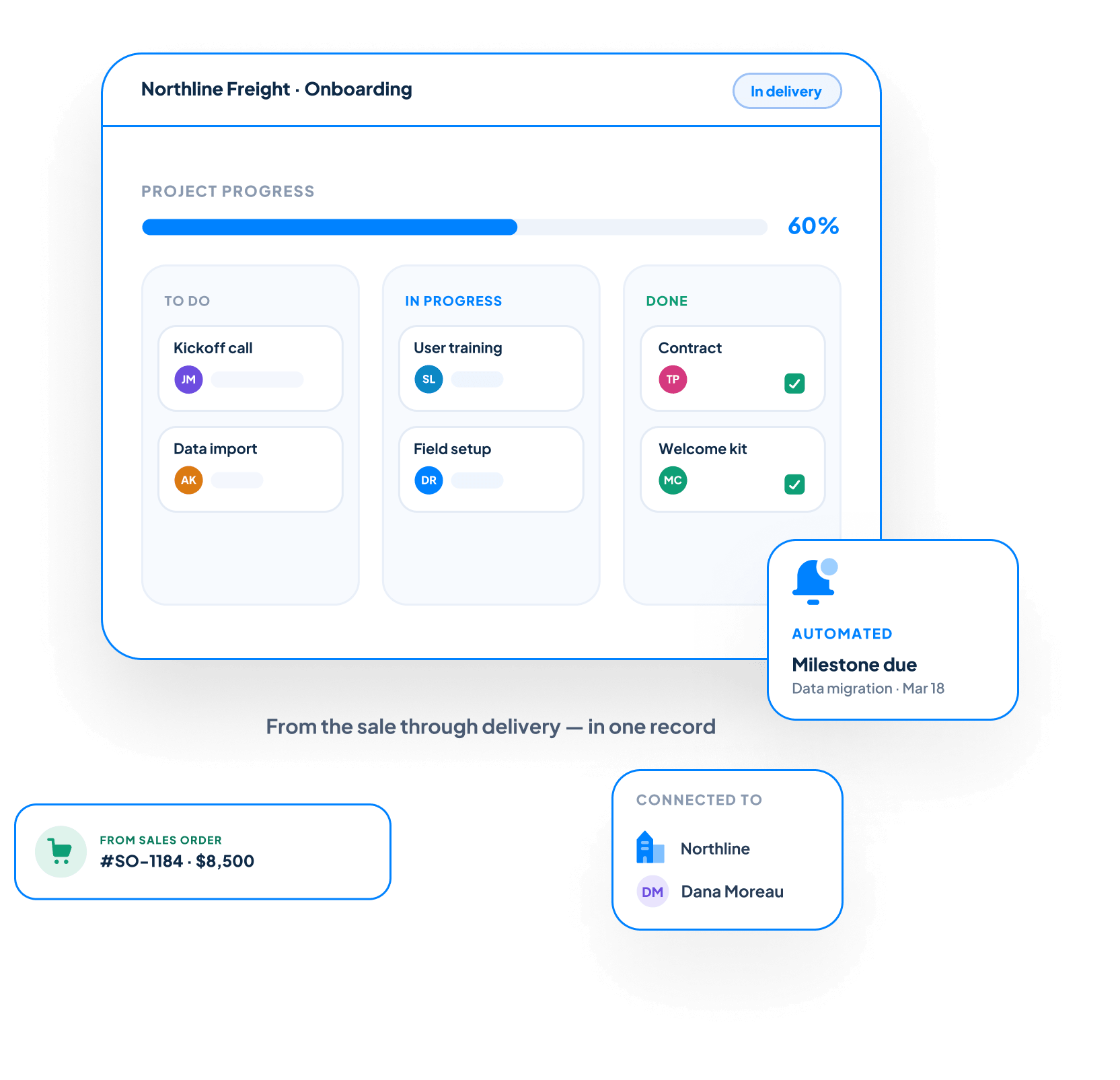
CRM Project Management in Claritysoft CRM helps your team organize onboarding, implementation, consulting, service delivery, and other customer projects without switching to a separate project management tool.
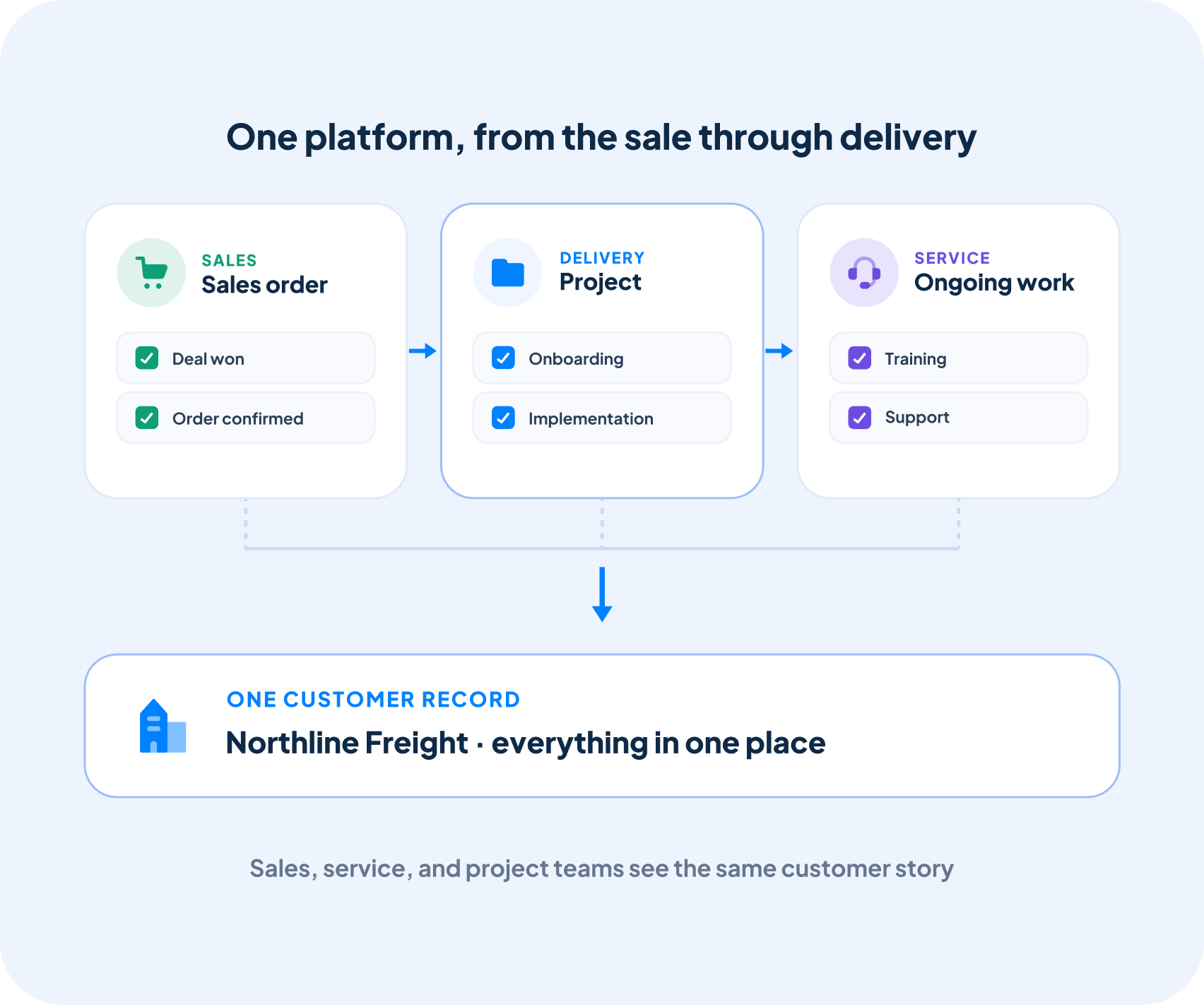
Projects remain connected to the customer account, contacts, sales order, activities, and relationship history—giving everyone complete visibility from the original sale through final delivery.

Everything You Need to Manage Customer Projects
Create Projects From Sales Orders
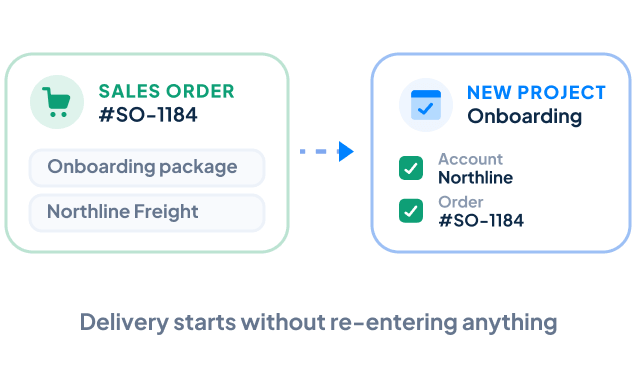
Launch a new project directly from a completed Sales Order without recreating customer or order information. Your delivery team can begin onboarding, implementation, or service work while maintaining a clear connection to the original sale.
Track Milestones and Deliverables
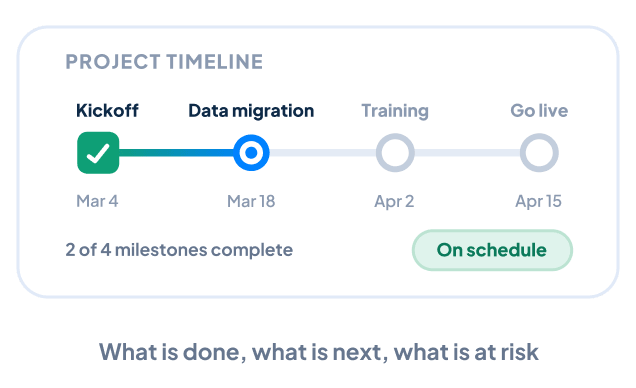
Organize projects around important milestones, deadlines, and deliverables. Your team can quickly understand what has been completed, what is coming next, and whether the project is progressing according to plan.
Assign and Track Project Tasks
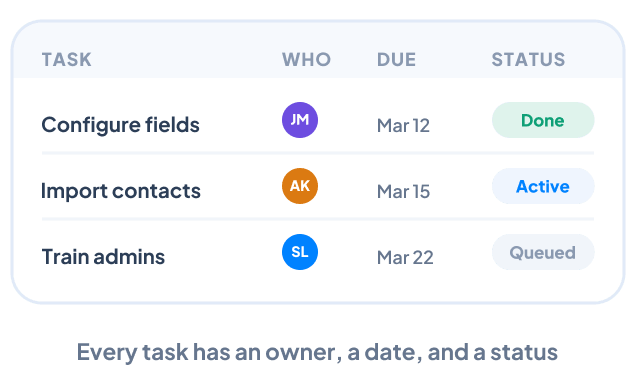
Break larger projects into clear, manageable tasks and assign responsibility to specific team members. Every task has an owner, due date, and status, helping your team stay accountable and understand what needs attention next.
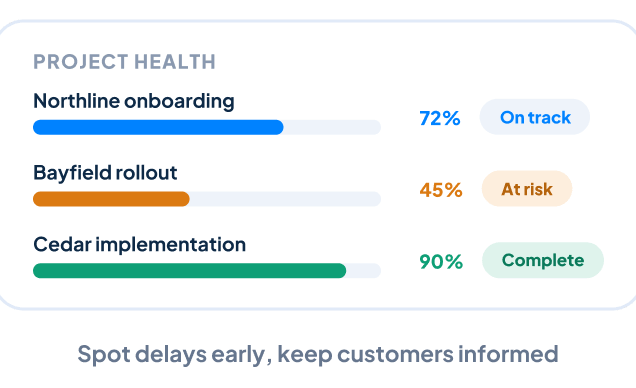
Monitor Project Progress
Track project status, upcoming milestones, assigned work, and overall progress from one centralized location. Managers can identify potential delays early, follow up with the appropriate team members, and keep customers informed throughout delivery.
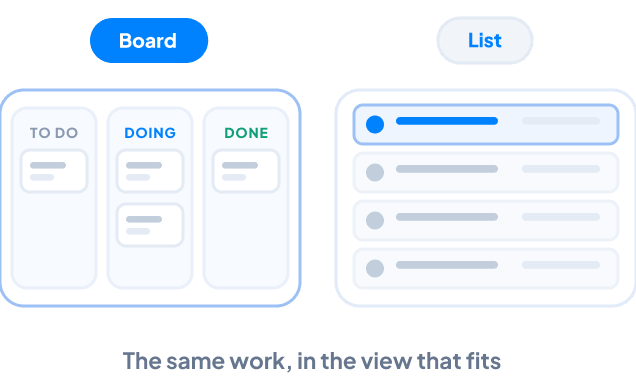
Organize Work With Board and List Views
View project work in the format that best fits your team. Use a visual project board to understand progress at a glance or switch to a structured list when you need a more detailed view of tasks, responsibilities, and deadlines.
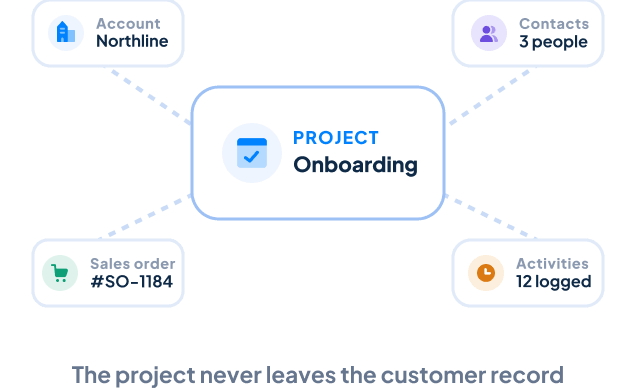
Keep Customer Records Connected
Every project remains connected to the appropriate Account, Contacts, and Sales Order. Your team can review the customer relationship, understand what was promised during the sales process, and manage delivery without searching through separate systems.
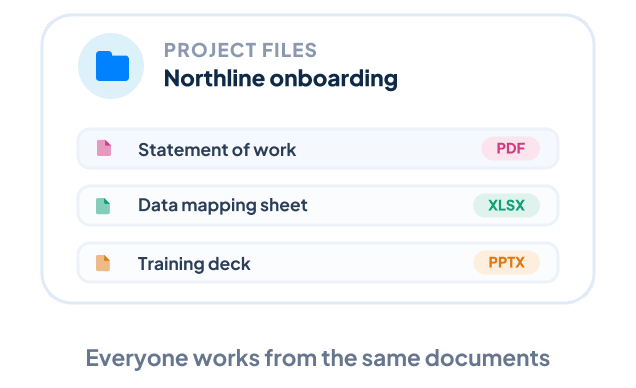
Keep Project Files Organized
Store project documents, deliverables, reference materials, and other files alongside the project. Everyone works from the same information, reducing confusion and making important documents easier to locate.

What Is CRM Project Management?
Instead of separating project delivery from the customer record, projects remain connected to the appropriate Account, Contacts, Sales Order, activities, and relationship history. This gives your team the context needed to understand what was sold, who is involved, and what needs to be delivered.

Automate Project Workflows
Keep customer projects moving without relying entirely on manual reminders.
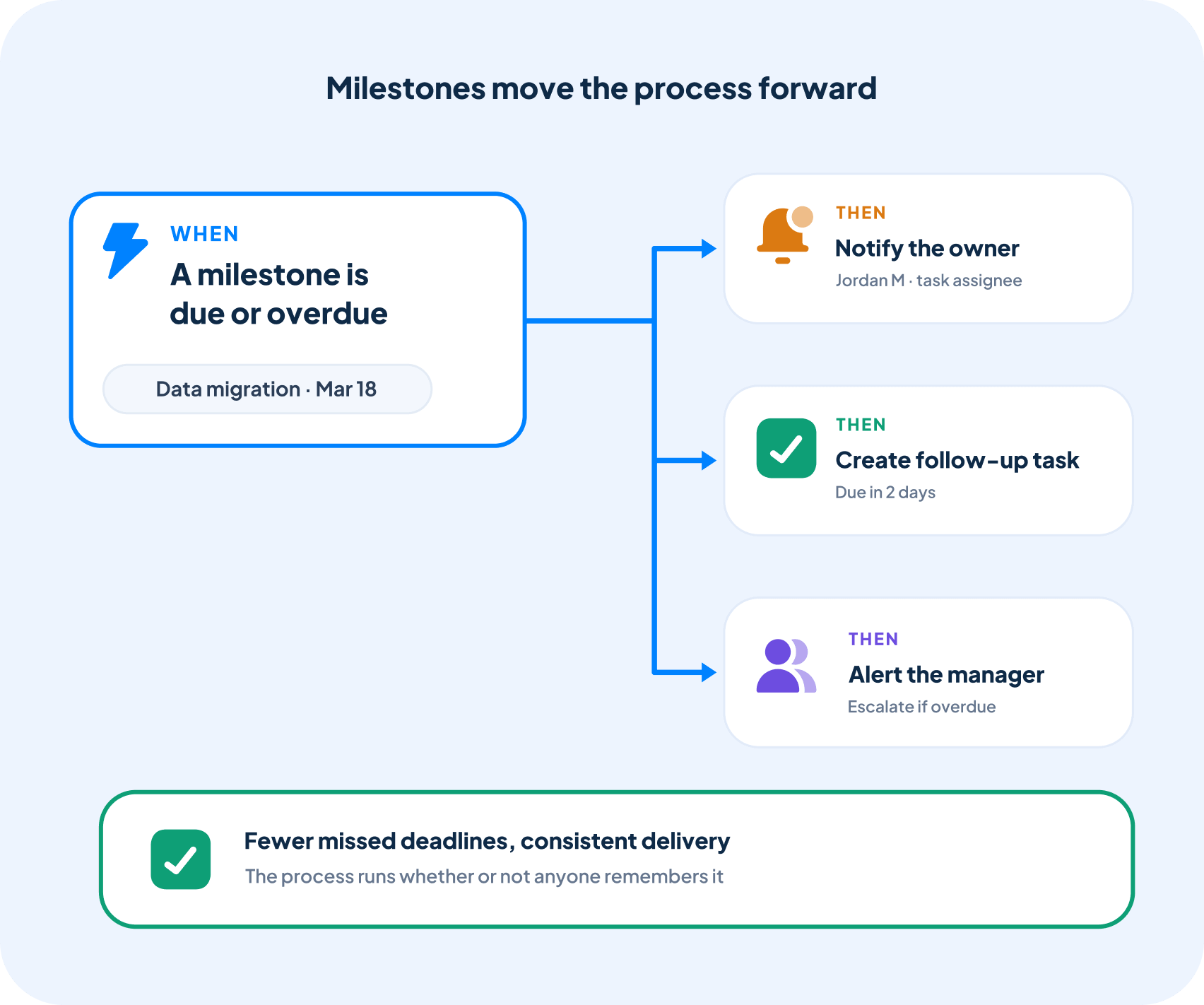
With Workflow Automation, Claritysoft CRM can notify team members when milestones are approaching, overdue, or completed. Automated processes can also create follow-up tasks, assign responsibilities, and alert managers when project work requires attention.
This helps reduce missed deadlines, improve accountability, and maintain consistent project delivery.
Built for Growing Businesses
Growing businesses often need to manage customer projects but do not want customer information scattered across multiple applications.
CRM Project Management is part of the Claritysoft CRM platform, giving small and midsize businesses a practical way to manage customer delivery while keeping sales, service, and project teams connected.
It is especially useful for organizations that provide onboarding, implementation, consulting, professional services, installation, training, or other work after the sale.
Explore Related CRM Capabilities
Sales Order Management
Launch customer projects directly from completed sales.
Account Management
Keep every project connected to the appropriate customer organization.
Contact Management
Identify the people involved in project decisions and delivery.
CRM Task Management
Assign responsibilities, deadlines, and follow-up work.
Calendar and Scheduling
Coordinate meetings, appointments, and important project dates.
Workflow Automation
Create notifications and repeatable project processes.
Plan Availability
Available in Complete.
CRM Project Management, Sales Order Management, and Workflow Automation are included with the Complete plan.
Frequently Asked Questions
What is CRM project management?
What types of projects can I manage?
What is the difference between a task and a project?
A Project is a collection of related work with defined goals, milestones, deadlines, and deliverables. A Task is an individual action that contributes to completing the project. One project will typically contain multiple tasks assigned to different team members.
Can I create a project from a completed sale?
Yes. Claritysoft CRM allows you to create projects from completed Sales Orders, helping your team begin delivery without recreating customer or order information.
Is Claritysoft CRM a replacement for dedicated project management software?
Claritysoft CRM is designed for businesses that want to manage customer projects within the same platform they use for sales and customer relationships. It is ideal for onboarding, implementation, consulting, service delivery, and other post-sale work.
Organizations requiring advanced portfolio management, software development tools, or highly complex resource planning may still need a specialized project management application.