
CRM Reporting & Dashboard Software
Turn CRM Data Into Reports Your Team Can Use
Reporting & Dashboards in Claritysoft CRM gives your team flexible ways to analyze CRM data, create professional reports, build customized reporting outputs, and automatically deliver reports to the people who need them.
Start with easy-to-use standard reports, create more customized Advanced Reports, or use Excel Reports to work with familiar Excel formulas and pivot tables. Reports can also be scheduled to run automatically and sent to custom recipients on a recurring schedule.
Whether you need a quick operational report or a highly customized management report, Claritysoft CRM helps you get more value from the data already in your CRM.
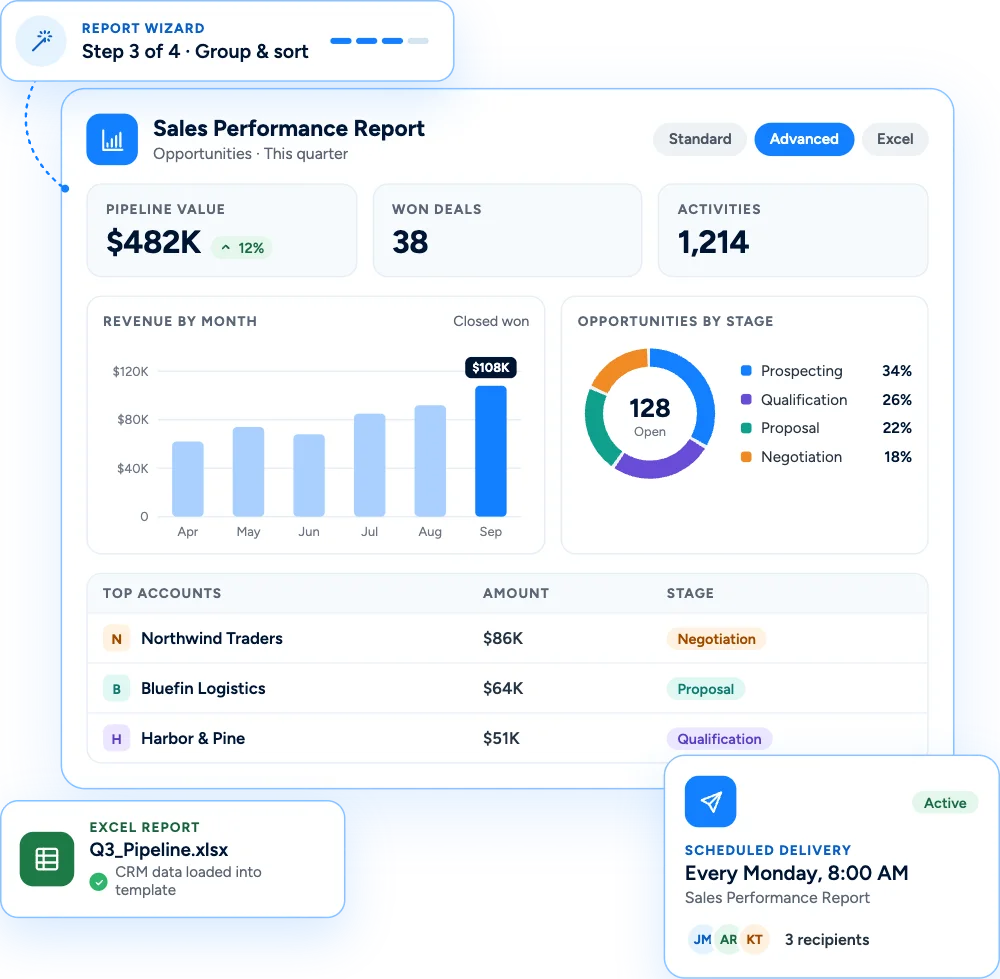

Reporting Options for Every Business Need
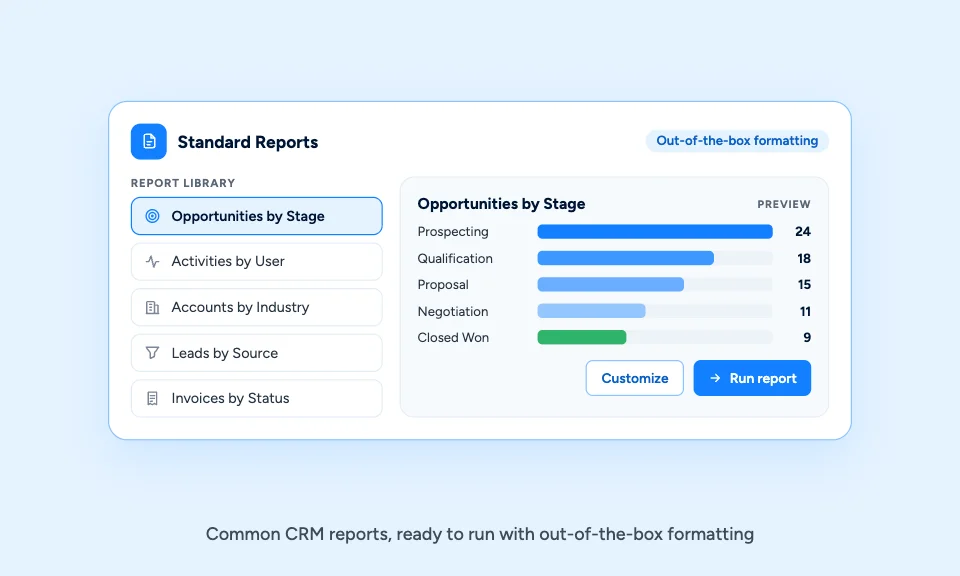
Get Useful Reports Without Building From Scratch
Standard Reports use out-of-the-box formatting and an easy-to-use report wizard, making it simple for users to create and work with common CRM reports. They provide an accessible starting point for teams that need useful information without the complexity of designing every report from the ground up.
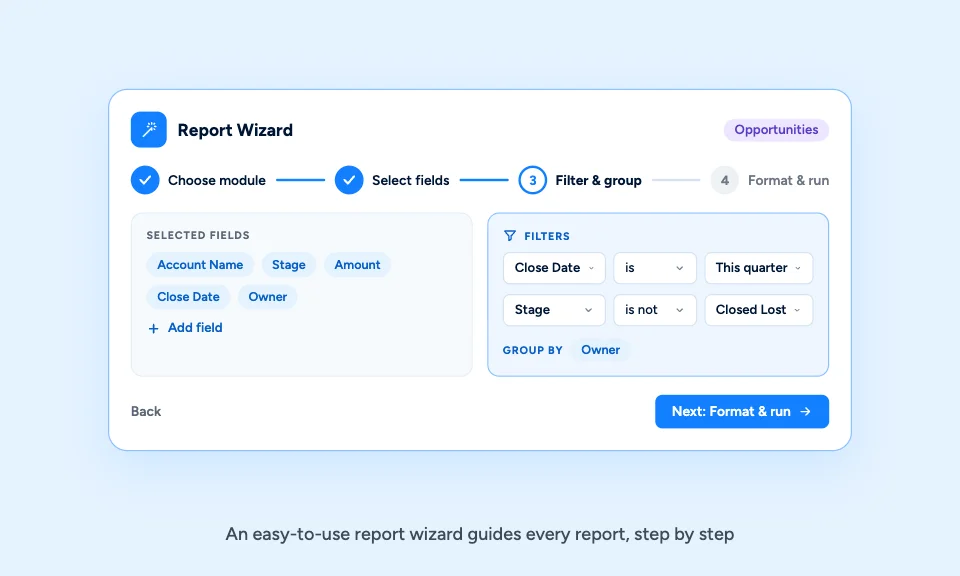
Build Reports With an Easy-to-Use Wizard
Both Standard Reports and Advanced Reports use an easy-to-use report wizard to guide the report-building process. Users can create the reports they need without becoming reporting experts.
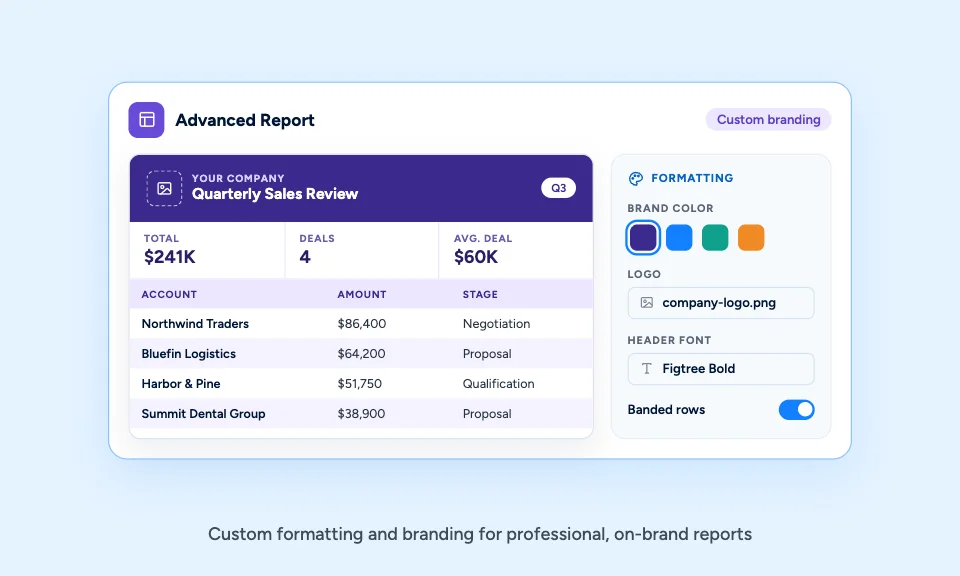
More Control Over Formatting and Presentation
Advanced Reports provide customizable formatting and branding while still using an easy-to-use report wizard. Use Advanced Reports when your organization needs reporting that reflects its specific business requirements, presentation standards, or calculations.
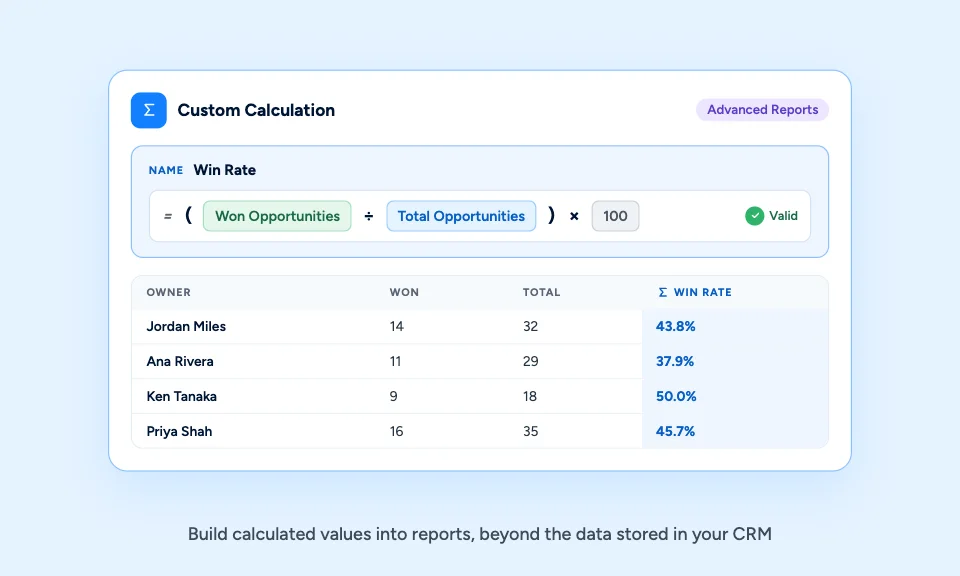
Build Reports That Go Beyond Stored Data
Advanced reporting supports custom calculations, allowing your team to build reports that go beyond simply displaying stored CRM information.
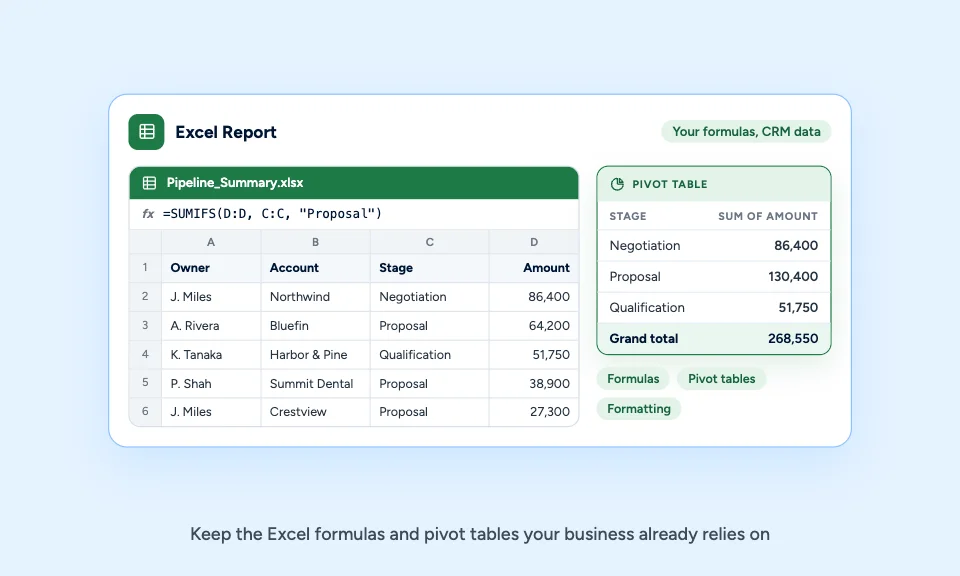
Use the Power and Flexibility of Excel
Excel Reports allow you to create an Excel template containing the formulas, pivot tables, formatting, and other Excel functionality your business already uses. Instead of rebuilding established Excel reports in a separate reporting system, your team keeps the template and uses Claritysoft CRM data to populate it.
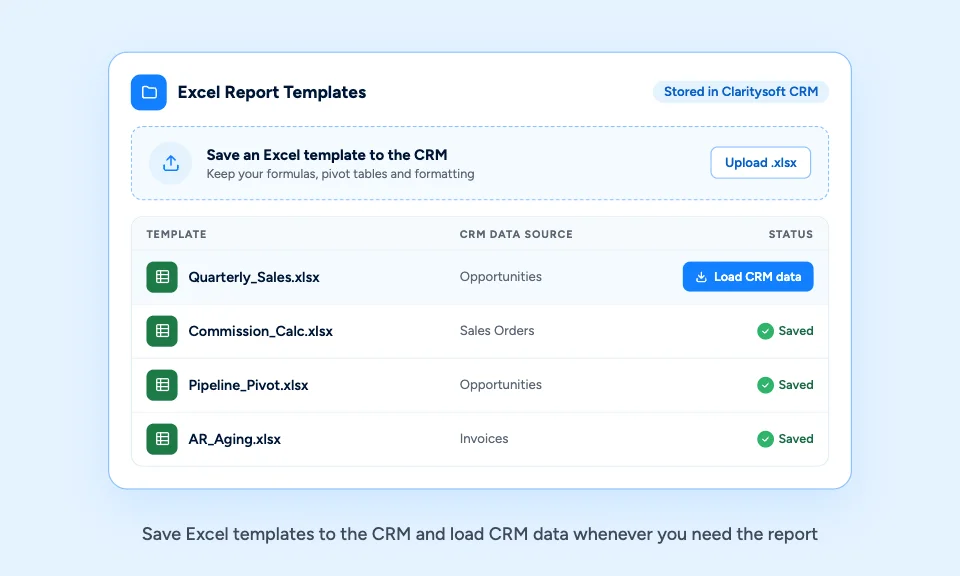
Save Excel Templates to the CRM
Save the Excel template to Claritysoft CRM and load CRM data into the template when you need to generate the report.
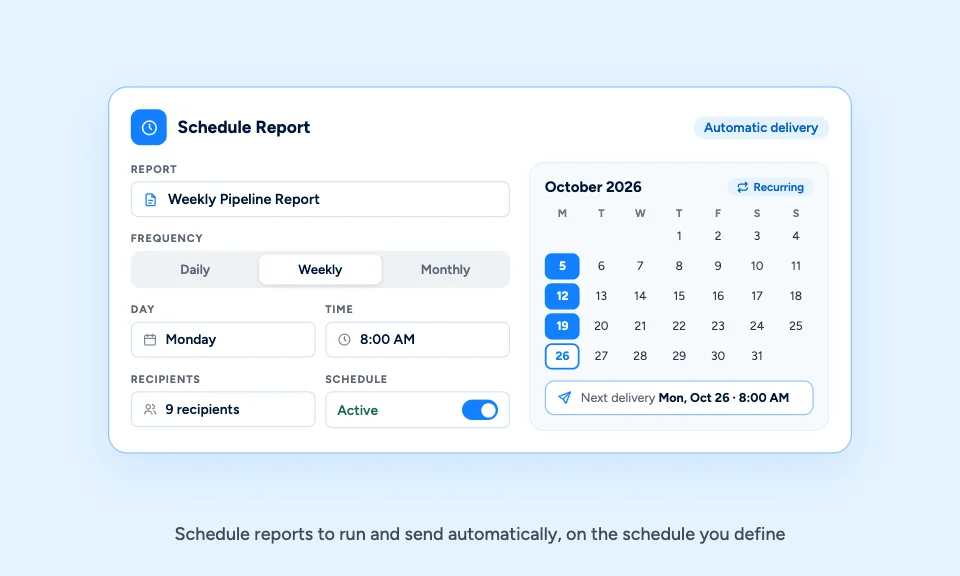
Schedule Reports to Send Automatically
Important reports do not have to depend on someone remembering to run them. Reports can be scheduled for automatic delivery based on the schedule your organization defines, reducing the need for employees to manually run, export, and distribute recurring reports.
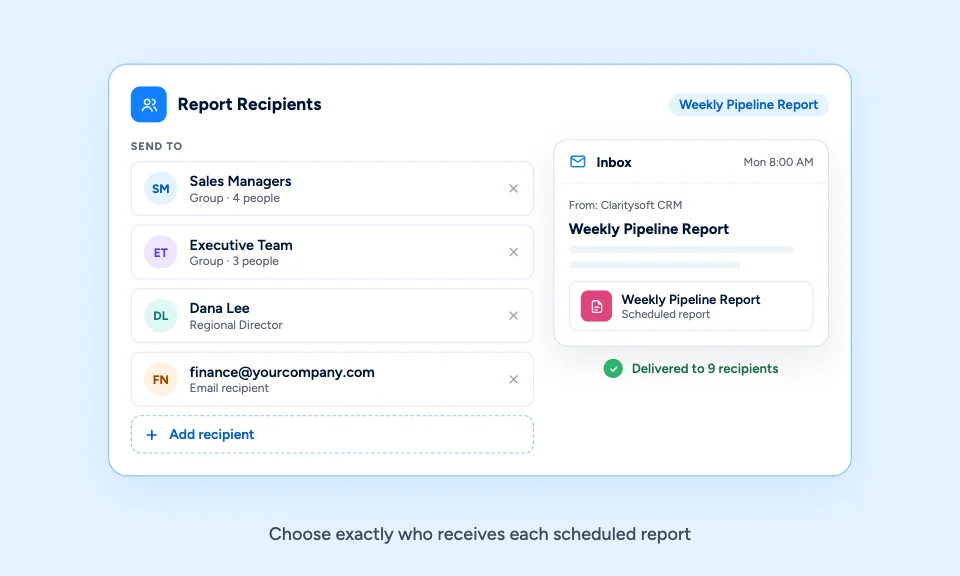
Send Each Report to the Right People
Not everyone needs access to every report. Once scheduled, a report can be sent automatically to custom recipients, so managers, sales teams, executives, or other stakeholders receive the information that is appropriate for them.

What Is CRM Reporting?
CRM reporting software allows users to organize CRM data into useful summaries, calculations, and business reports without manually exporting and compiling information every time a report is needed.

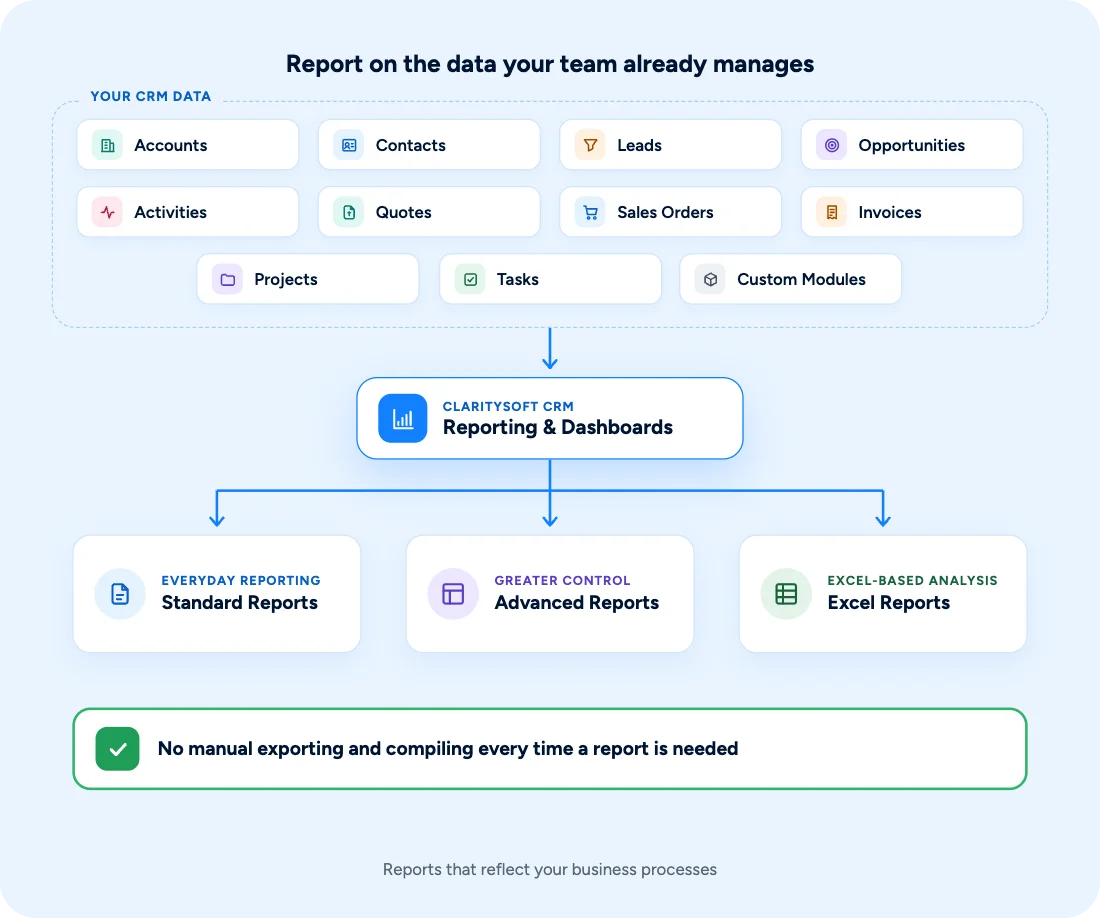
From CRM Data to Actionable Information
Reporting becomes more valuable when it is connected to the information your team already manages in Claritysoft CRM.
Analyze information from areas such as Accounts, Contacts, Leads, Opportunities, Activities, Quotes, Sales Orders, Invoices, Projects, Tasks, and Custom Modules to create reports that reflect your business processes.
Use standard reporting for everyday needs, Advanced Reports when you need greater control, and Excel Reports when your organization relies on Excel-based analysis.
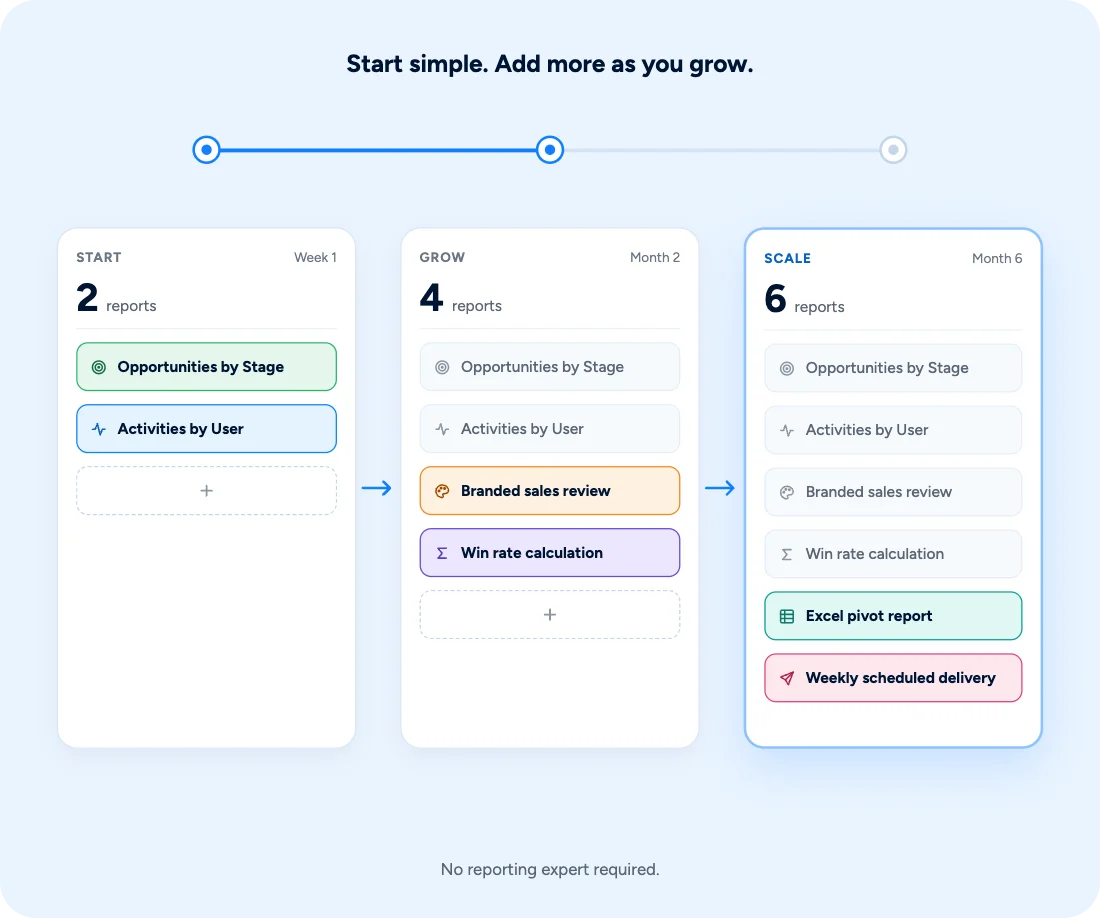
Built for Growing Businesses
Growing businesses need more than a database full of information. They need a practical way to understand that information and share it with the people making decisions.
Claritysoft CRM gives businesses multiple ways to turn CRM data into useful reports without requiring every user to become a reporting expert.
Start with an easy-to-use report wizard, create more advanced branded reports when needed, or use familiar Excel templates for more sophisticated analysis.
Get the information you need from your CRM, and make sure it gets to the people who need it.
Explore Related CRM Capabilities
Sales Pipeline Management
Report on opportunities, pipeline activity, and sales performance.
Lead Management
Measure lead activity and information captured during the sales process.
Account Management
Analyze customer and company information across your CRM.
Contact Management
Report on the people and relationships stored in your CRM.
Invoice Management
Analyze invoice and billing information.
Custom Modules
Include data from custom objects in your reporting.
Plan Availability
Included with Core and Complete.
Advanced Reports and Excel Reports are available in the Complete plan.