Move From Accepted Quote to Customer Order—Without Starting Over.
Closing a deal should begin a smooth order process, not another round of manual data entry.
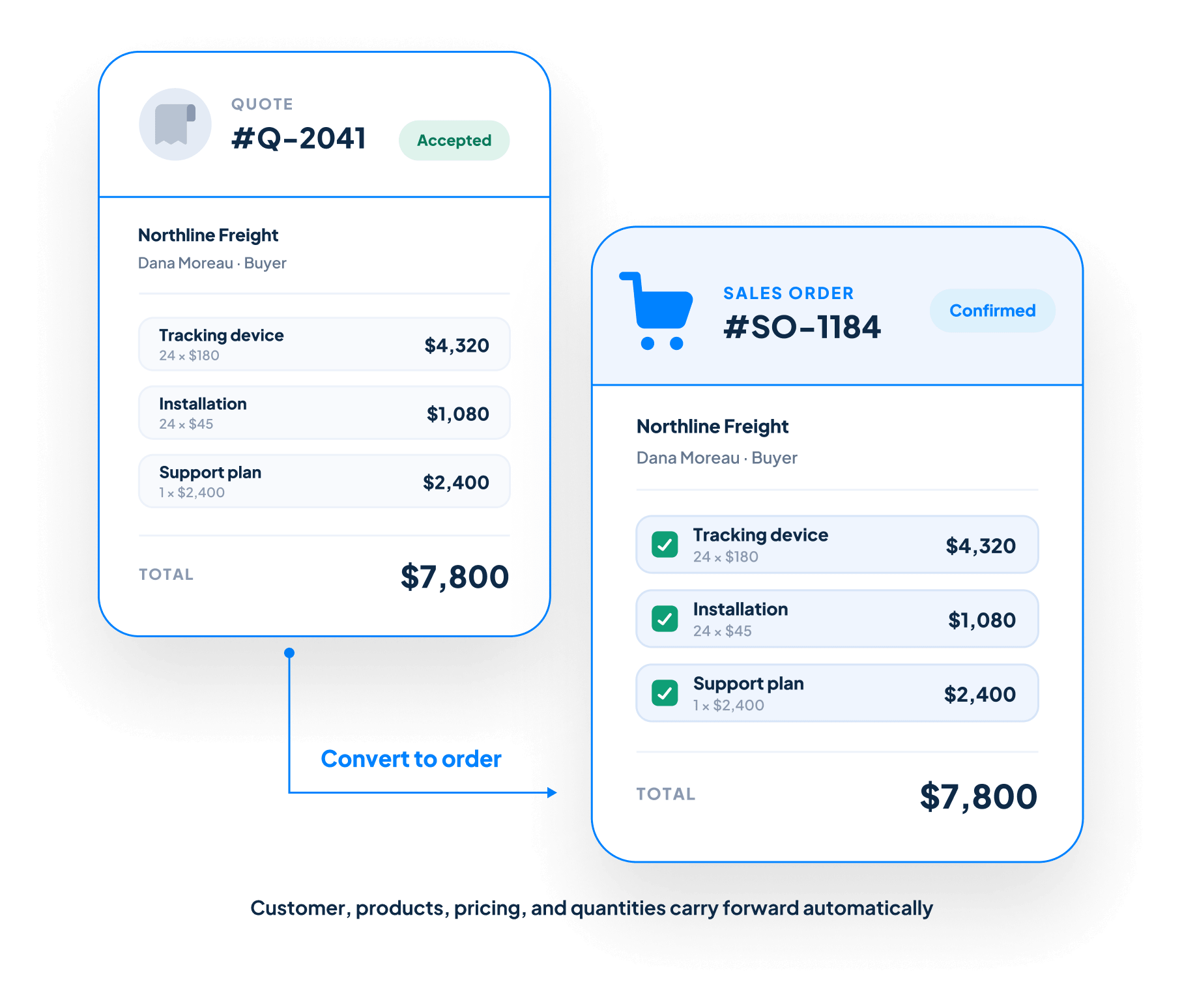
Sales Order Management in Claritysoft CRM lets your team convert accepted quotes into sales orders while carrying customer information, products, pricing, and line-item details forward automatically.
Keep sales and operations aligned, reduce avoidable errors, and maintain complete visibility from the original opportunity through the confirmed customer order.
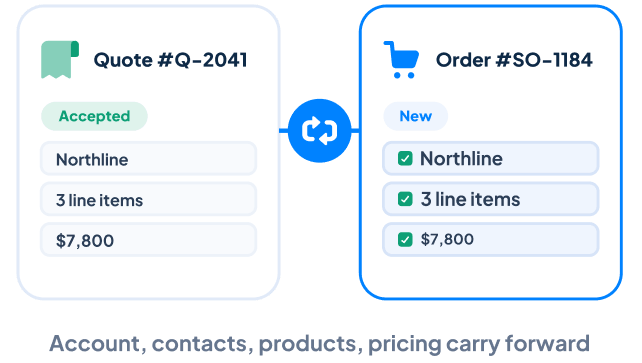
Create a sales order directly from an accepted Quote without rebuilding the customer transaction. Account information, contacts, products, pricing, quantities, and other line-item details carry forward into the new order.
Maintain Detailed Order Information
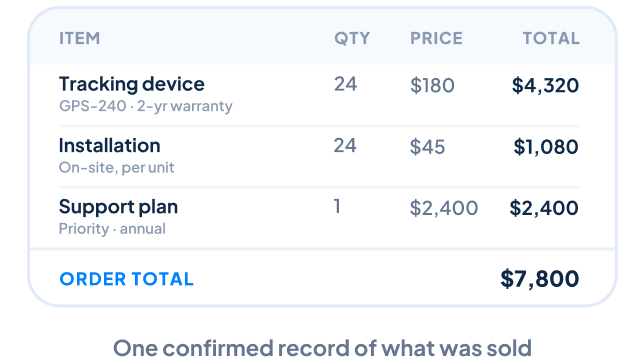
Clearly document the products and services purchased using organized line items, descriptions, quantities, pricing, and other relevant order details. Everyone involved can work from the same confirmed record of the sale.
Track Sales Order Status
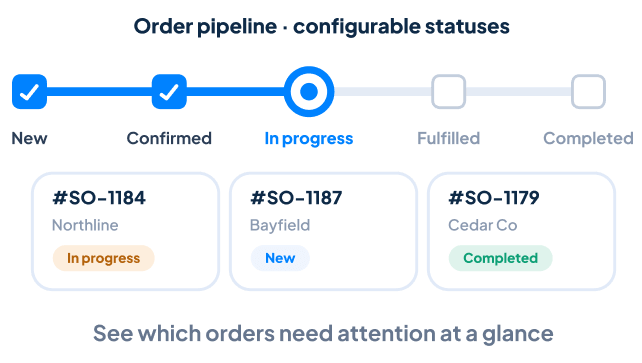
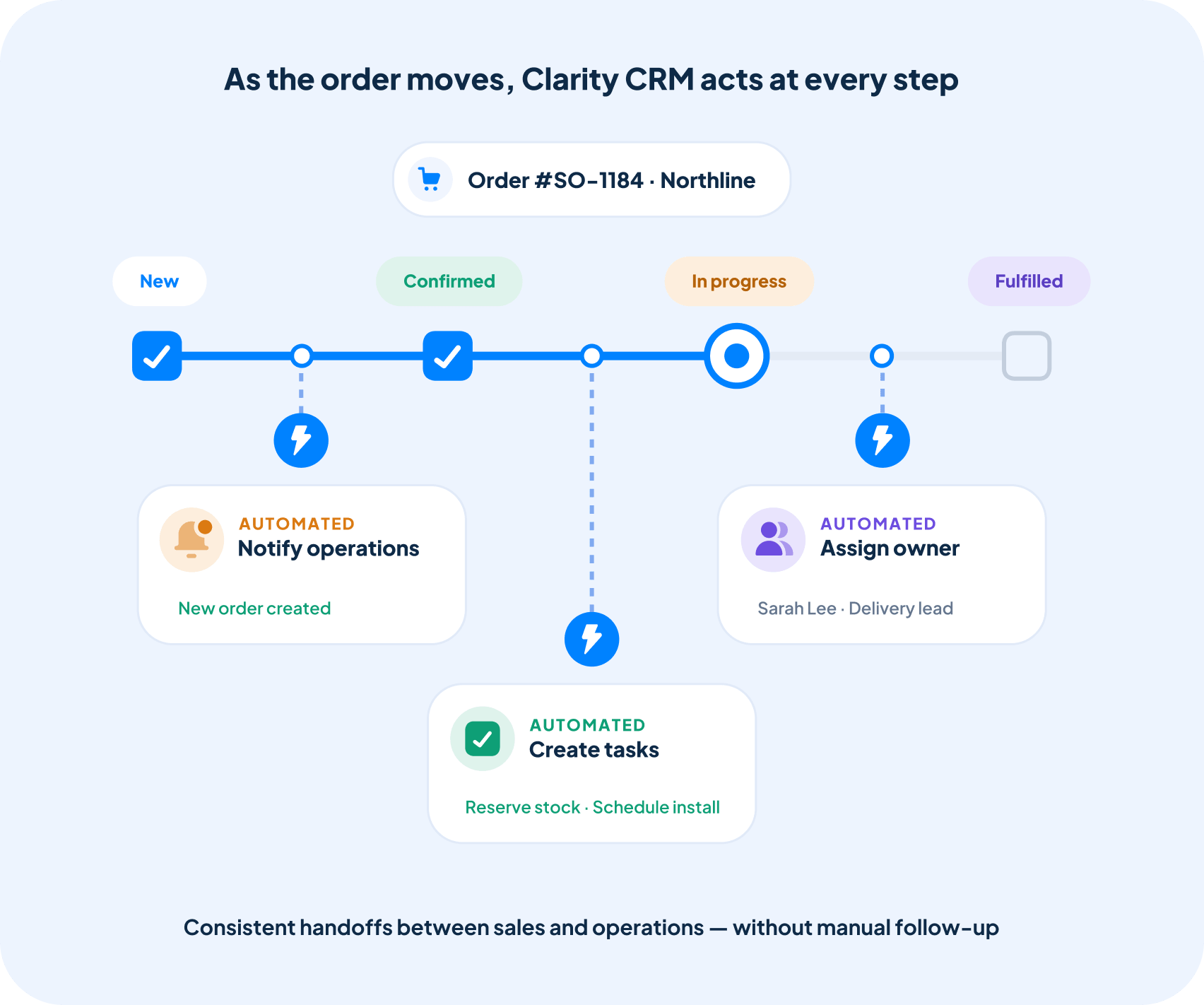
Monitor orders as they move through your process using configurable statuses. Your team can quickly see which orders are new, confirmed, in progress, fulfilled, completed, or otherwise require attention.
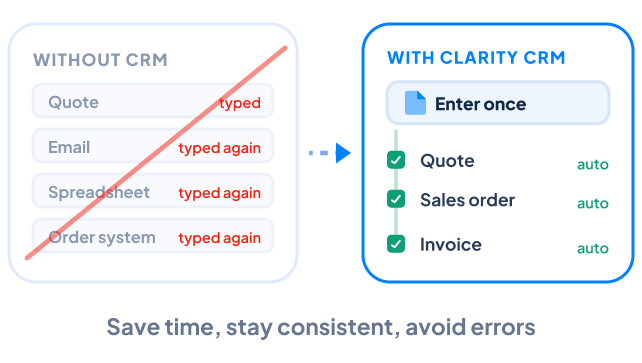
Reduce Duplicate Data Entry
Information already entered during the quoting process does not need to be entered again. Carrying customer and order details forward helps save time, improve consistency, and reduce avoidable errors.
Keep Every Order Connected
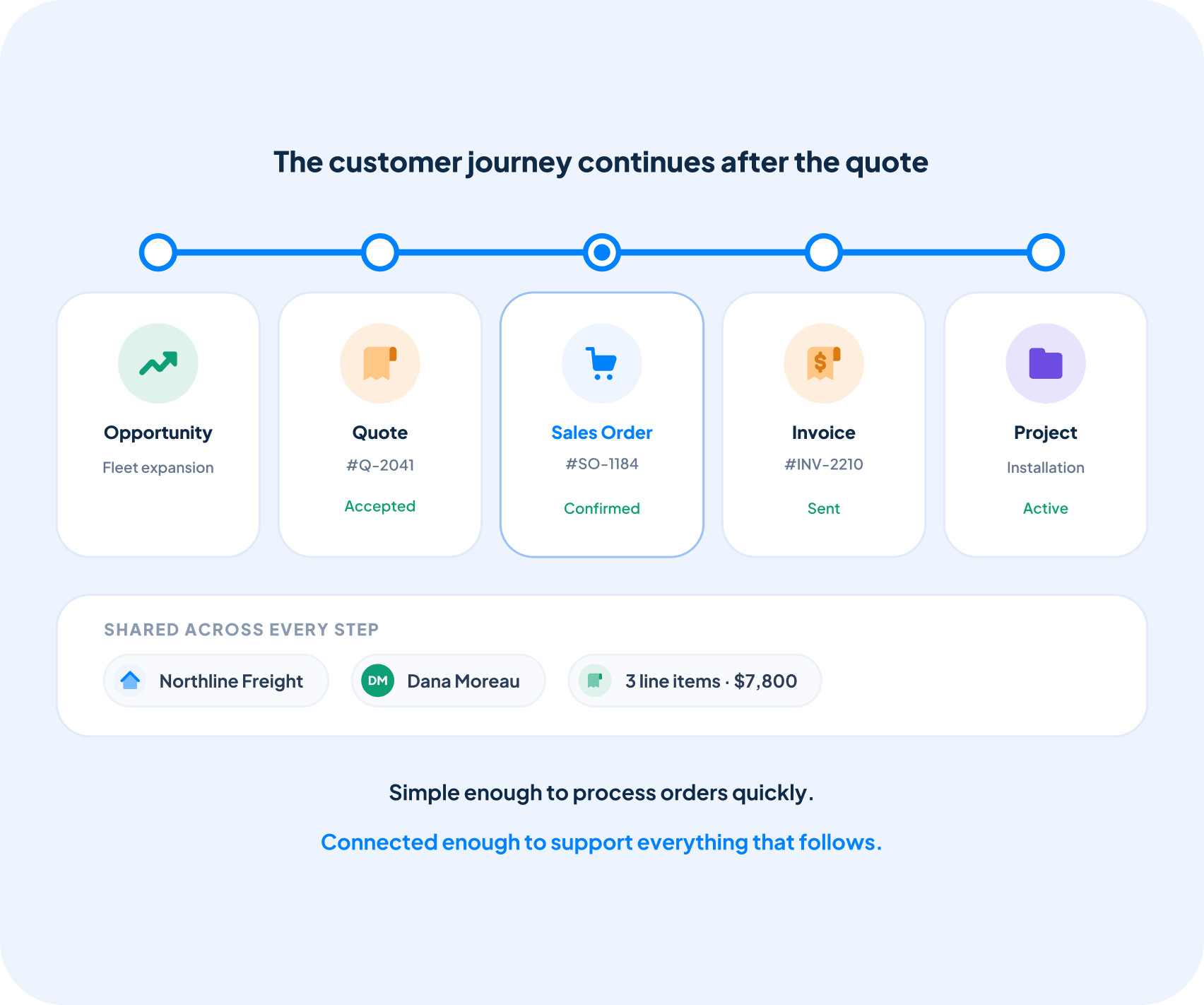
Each sales order remains linked to the appropriate Sales Opportunity, Quotation, Account, and Contacts. Your team can review the complete sales history and customer relationship without searching across separate systems.
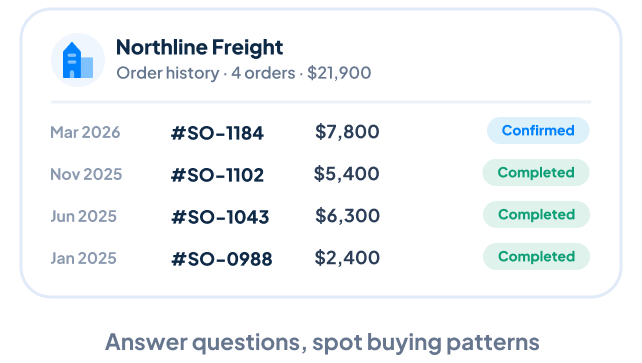
View Complete Customer Order History
Review every sales order associated with an account from one centralized location. Previous order information helps your team answer customer questions, understand buying patterns, and support future sales conversations.
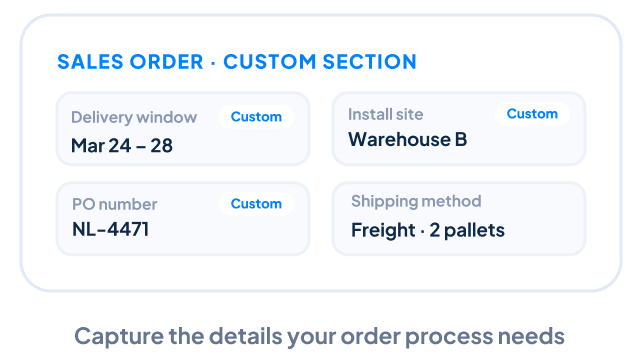
Customize Sales Order Records
Add custom fields, sections, and layouts to capture information specific to your order process. Claritysoft CRM can adapt to the details your business needs without forcing your team into a rigid structure.
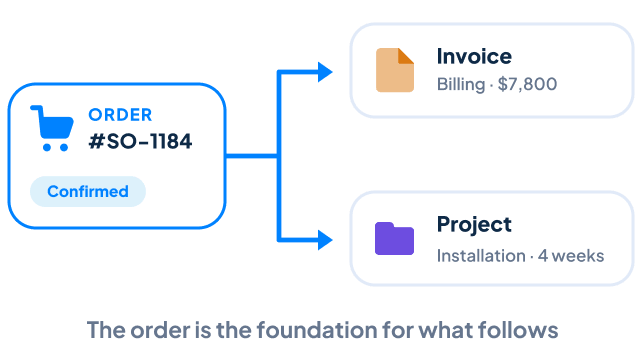
Continue From Order to Delivery
Use the confirmed sales order as the foundation for the work that follows. Connect the order to Invoice Management for billing or create a customer Project for implementation, onboarding, installation, or service delivery.
What Is Sales Order Management?
Sales order management is the process of creating, organizing, and tracking customer orders after a quote has been accepted. A sales order confirms what the customer purchased, the agreed-upon pricing and terms, and the details needed to move the sale forward.
CRM sales order management software keeps each order connected to the originating quotation, sales opportunity, customer account, and contacts. Instead of re-entering information into a separate system, your team can continue the customer journey within one connected CRM.
This creates a smoother transition from sales to delivery while maintaining an accurate record of what was sold and who was involved.
Automate Your Order Workflow
Keep employees informed as customer orders move forward.
With Workflow Automation, Claritysoft CRM can notify team members when sales orders are created, statuses change, or important steps require attention. Automated processes can also create tasks, assign responsibilities, and support consistent handoffs between sales and operations.
This reduces manual follow-up while helping ensure that confirmed customer orders continue moving toward completion.
Built for Growing Businesses
Growing businesses need an organized way to continue the customer journey after a quote is accepted.
Sales Order Management is part of the Claritysoft CRM platform, giving small and midsize businesses a practical way to keep quotations, customer orders, sales opportunities, and customer records connected.
Your team spends less time transferring information between systems and more time fulfilling customer commitments accurately and efficiently.
Simple enough to process orders quickly. Connected enough to support everything that follows.
Customer Ratings
Trusted by Teams Frustrated with Complex CRMs.
Rated best value and easiest to use by real customers. Trusted by thousands of teams since 2010.
4.7
★★★★★Rated 4.7 out of 5
Average across G2, Capterra, GetApp, SourceForge & Software Advice
“I’ve been using CRM for more than 15 years. I’ve never seen flexibility like this before.”
Sales order management is the process of creating, organizing, and tracking customer orders after a quotation has been accepted. Claritysoft CRM keeps sales orders connected to customer accounts, contacts, opportunities, and quotations, reducing duplicate data entry.
What is the difference between a quote and a sales order?
A Quote is a proposal outlining products, services, pricing, and terms for a prospective customer. A Sales Order represents the confirmed purchase after the customer accepts the proposal.
Can I convert a quote into a sales order?
Yes. Claritysoft CRM allows your team to create a sales order directly from an accepted quote while carrying customer information, products, pricing, quantities, and line-item details forward.
Can I track sales order status?
Yes. Sales order statuses help your team monitor each order as it moves through your process and identify orders that require follow-up or additional action.
Can I view a customer’s previous sales orders?
Yes. Sales orders remain connected to the appropriate account and contacts, making it easy to review previous purchases and understand the customer’s complete order history.
Ready to Simplify Your Order Process?
Convert accepted quotes into customer orders, reduce duplicate work, and keep sales and delivery connected with Claritysoft CRM.