
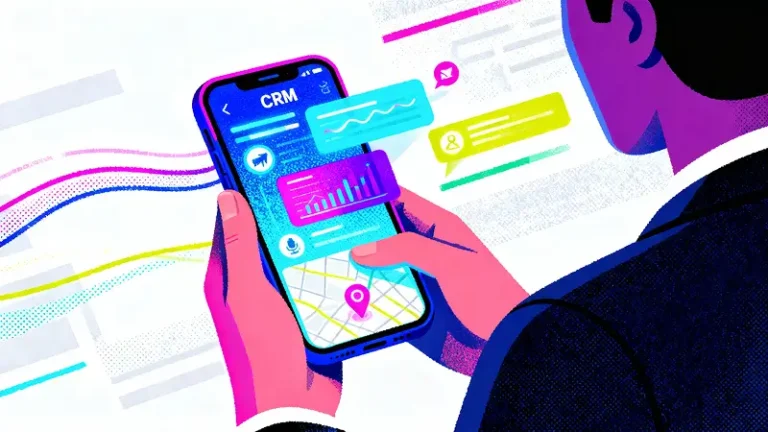
Sales in 2026 moves fast. Prospects expect quick answers, helpful context, and a smooth handover from first touch to signed deal.
If your customer data lives on a laptop back at the office, you lose momentum the moment you step into a meeting, jump on a call, or travel between sites.
That is where mobile CRM earns its place in your revenue story. With the right setup, your phone becomes a pocket sales command centre that keeps leads warm, pipelines clean, and follow ups timely.
The numbers back this up. Salespeople using mobile CRM are far more likely to hit quota, around 65 percent compared with 22 percent for those without it.
And when businesses adopt CRM tools in general, they report an average 29 percent lift in sales revenue.
This guide shares practical ways to turn that advantage into daily habits, so you spend less time chasing details and more time closing deals.
What Mobile CRM Is and Why It Matters for Sales Growth
Mobile CRM is a customer relationship management system designed for full, everyday selling from a smartphone or tablet, with key data, tasks, and workflows available wherever you work.
That simple idea changes a lot. A desktop only setup tends to push sales work into batches. You take notes in the moment, then update records later.
You remember to log the call, you try to recall exact objections, you chase a teammate for the latest account detail, and the deal quietly slows down. A mobile first approach flips that rhythm.
You can log activity right after a meeting, pull up account history before a call, and act on fresh signals while the buyer is still engaged.
The real sales value comes from momentum and context. Mobile access reduces the tiny delays that add up across a pipeline. Faster lead response, cleaner notes, fewer forgotten follow ups, and quicker internal handoffs. It also cuts down on the back and forth that stalls decisions.
When you can confirm pricing, check previous conversations, or share the right document in real time, you keep the conversation moving forward instead of pausing it for later.
In short, mobile CRM helps you sell in the same place your customers already live. In the moment, in motion, and with the right information at your fingertips.
Who Benefits Most From Mobile CRM
Mobile CRM helps a wide range of teams, but some groups feel the impact faster because their work depends on speed, clean handoffs, and access to live customer context.
This list highlights who typically gets the biggest day to day lift in selling efficiency and results once mobile access becomes a normal part of the workflow.
- Field sales teams who spend most of their time visiting prospects and accounts and need instant access to histories, notes, pricing, and next steps.
- Hybrid and remote B2B sales teams that rely on fast updates, shared visibility, and smooth handoffs across time zones and schedules.
- Industries with high volume or time sensitive interactions like retail, hospitality, real estate, healthcare, and logistics, where delays can cost bookings, trust, or renewals.
- SMEs that want to stay lean, reduce admin, and keep pipeline control tight.
- Enterprise teams that need consistent processes, reliable reporting, and stronger coordination across larger territories and more stakeholders.
The Biggest Sales Bottlenecks Mobile CRM Solves
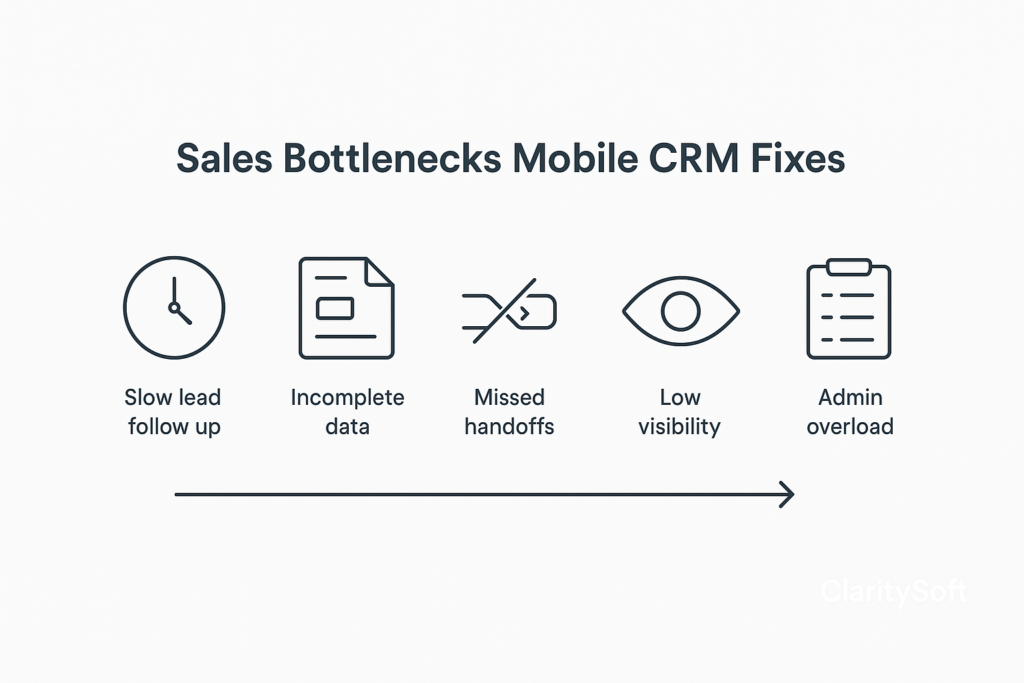
Mobile CRM removes the everyday friction that quietly slows revenue. When teams can work with live customer context in the moment, productivity improves in measurable ways.
CRM implementations are associated with about a 34 percent boost in sales productivity, and mobile access specifically can add roughly 14.6 percent more.
That uplift often comes from fixing these common bottlenecks.
Slow Lead Follow Up
When responses happen hours later instead of minutes, interest cools and competitors step in. Mobile alerts and instant access to contact history help reps respond while intent is still high.
Incomplete Customer Data
Deals stall when key notes, preferences, or recent interactions are missing. Mobile logging right after calls and meetings keeps records accurate and helps reps personalise the next conversation.
Missed Handoffs Between Marketing and Sales
Leads can slip through gaps when ownership and context are unclear. Mobile visibility helps reps see source, campaign context, and previous touchpoints so the first sales conversation starts strong.
Poor Visibility Across the Pipeline
If updates only happen at the end of the day or week, forecasts become guesswork. Mobile access encourages quick stage updates and cleaner pipeline hygiene.
Manual Admin Eating Selling Time
Reps lose momentum when they need to return to a desk to log activity or find files. Mobile tools reduce that drag so more of the day goes to actual selling.
12 Practical Ways to Boost Sales With Mobile CRM
The 12 ways below are all practical, but the quickest momentum usually comes from what happens right after someone shows interest. Fast responses, effortless lead capture, and smarter prioritisation can change your results in days, not months.
1. Respond to New Leads in Minutes With Mobile Alerts
Speed to lead is still a quiet superpower. Studies on lead response show that contacting a lead within five minutes can massively improve the odds of connection and qualification compared with waiting longer. Mobile alerts turn that insight into a habit.
Set up push notifications for high intent actions such as demo requests, pricing page visits, or event sign ups. Pair that with smart routing so the right rep gets the lead based on territory, product line, or account size.
Imagine a prospect requests a quote while your rep is travelling between meetings. With an alert and a routed task, the rep can call immediately, reference the lead source, and book the next step before interest cools.
The practical payoff is a higher conversion rate from first touch to discovery, simply because your response window matches the buyer’s intent window.
2. Capture Leads Anywhere With Mobile Forms and Scanning
Leads do not always appear in clean digital channels. They show up in hotel lobbies, conferences, pop up activations, site visits, and referrals mid conversation. Mobile CRM makes capture effortless in those moments.
Business card scanning helps reps turn a quick introduction into a logged contact with notes while details are still fresh.
QR based lead capture at events lets prospects submit their details straight into your system without a paper queue. Many organisations now run CRM across multiple devices, which reflects how normal this behaviour has become.
Offline capture matters too. If your team sells in areas with unstable connectivity, mobile entry that syncs later can prevent lost leads and missing context.
3. Improve Lead Qualification With AI-Assisted Scoring
Once you increase capture and speed, the next risk is chasing the wrong opportunities. AI assisted scoring helps you focus effort on leads with the strongest buying signals.
Modern scoring uses behavioural and intent data such as repeated product page visits, webinar attendance, email engagement, and firmographic fit.
Some reports, including references to Deloitte Insights, suggest that organisations using AI for lead scoring and targeting have seen conversion improvements in the 20 to 30 percent range.
Think of a B2B software team with hundreds of weekly sign ups. AI can surface the few showing enterprise intent right now, then trigger a fast sales follow up while placing lower intent leads into nurturing.
When this aligns with marketing automation, your handoff becomes cleaner and your rep time goes to the leads most likely to turn into revenue.
4. Build a Faster, Cleaner Sales Pipeline on the Go
A healthy pipeline lives or dies by freshness. When reps wait till the end of the day to update stages, deals start to look better on paper than they are in reality. Mobile CRM makes it easy to update a deal immediately after a call, add next steps, and attach quick notes.
Voice to text is the underrated hero here. A rep can dictate objections, stakeholder names, pricing sensitivities, and decision timelines while walking to the next meeting. That reduces memory gaps and keeps the rest of the team aligned.
The payoff is fewer stale deals. Some CRM data summaries also note that CRM use can shorten sales cycles by days, partly because everyone works from the same timely record.
5. Personalise Outreach Using Real-Time Customer Context
Generic follow ups get ignored. Mobile CRM helps reps walk into conversations with context that makes messages feel purposeful.
Pulling up order history, open support tickets, or past preferences during a call lets a rep say something concrete.
For example, a logistics supplier can see that a customer recently raised a delivery issue and lead with a fix before pitching an upgraded plan. That kind of relevance builds trust and keeps the conversation moving.
Many modern CRMs also surface suggested next best actions based on past behaviour. The point is simple. Better context leads to better customer engagement.
6. Automate Follow-Ups With Mobile-First Workflows
Missed follow ups rarely happen because reps do not care. They happen because the day gets messy. Mobile first workflows reduce that risk.
You can set sequences for demos, proposals, renewals, and post meeting check ins. A rep closes a call, taps the stage update, and the CRM automatically schedules tasks, reminders, and email prompts. This keeps momentum without adding admin.
For a fast moving B2B team, this can mean fewer deals falling into silence after a good first meeting.
7. Use Location Tools to Optimise Field Sales Routes
If you have field reps, travel time is part of your sales cost. Mobile CRM location tools help you turn that time into more revenue conversations.
Reps can map accounts by proximity, plan multi visit days, and prioritise high value stops. A simple example is a medical device rep grouping hospital visits by area and slotting in a warm lead nearby between two scheduled appointments.
Over a month, this approach can increase meetings per week without extending working hours. It also creates a more realistic rhythm for consistent account coverage.
8. Close Deals Faster With Mobile E-signatures and Quotes
When a buyer is ready, delays cost momentum. Mobile quote tools let reps generate a clean, accurate quote during or right after a call. No waiting to get back to a laptop.
In app approvals help too. If pricing or discount sign off is needed, the request can be triggered instantly, with the right context attached.
A simple example is a rep finalising a service package in a client meeting, sending the quote, getting approval, and collecting a signature the same day. That compresses time to close and reduces the chance of second thoughts.
9. Improve Team Performance With Mobile Sales Analytics
Mobile dashboards turn performance into something reps can check daily, not weekly. Activity views show calls, meetings, follow ups, and outcomes in one place.
Pipeline health views help managers spot risk early such as deals stuck too long in one stage or reps with plenty of activity but low progression.
Coaching becomes more precise because it is tied to real behaviours and real deal movement, not vague assumptions.
10. Strengthen Retention With Mobile Service-Sales Collaboration
Growth is easier when sales and service share one clear view of the customer. A shared timeline helps reps see recent issues, resolutions, and sentiment before they reach out.
This unlocks smarter upsell and cross sell moments. If support logs show a customer hitting usage limits, that is a natural time to recommend a higher tier.
Mobile access also supports renewals because reps can act quickly when signals appear, instead of discovering risk too late.
11. Sell Smarter With Integrated Omnichannel Communication
Customers jump between email, calls, WhatsApp, SMS, and chat. When those conversations live in separate places, context gets lost.
A mobile CRM that logs every interaction helps reps continue the conversation smoothly. It also protects the customer experience when accounts change hands.
The next rep can see what was promised, what was asked, and what was sent, without guessing.
12. Protect Revenue With Compliance and Data Hygiene on Mobile
Revenue is not only about winning new deals. It is also about protecting trust. Mobile CRM should make security feel effortless.
Role based access ensures sensitive data is only visible to the right people. Secure authentication reduces the risk of account takeovers.
Good data hygiene supports compliance expectations, including GDPR friendly handling of customer information.
The real benefit is confidence. Customers feel safer, teams avoid costly mistakes, and your growth sits on a foundation that can scale.
Mobile CRM Features That Directly Drive More Revenue
These features are the building blocks that make the earlier tactics possible. Think of this as a quick checklist of what a revenue ready mobile CRM should support.
| Mobile CRM feature | How it drives more revenue |
| Lead management | Helps reps capture, organise, and follow up quickly so fewer opportunities slip away. |
| Sales pipeline management | Keeps deal stages accurate and visible in real time, improving forecast quality and pushing deals forward faster. |
| Offline mode | Allows selling and data capture in low connectivity areas, preventing lost leads and missing updates. |
| AI insights | Surfaces high intent leads, suggests next actions, and highlights deal risks early. |
| Automations and workflows | Reduces manual tasks and missed follow ups with smart reminders, sequences, and stage based triggers. |
| Mobile analytics dashboards | Gives reps and managers daily visibility into activity, conversion, and pipeline health for faster course correction. |
| Quote-to-cash tools | Speeds up pricing, approvals, and payments so deals close with fewer delays. |
| Integrations with email, calendar, ERP, and marketing | Connects customer data across systems to improve handoffs, reduce duplication, and strengthen personalisation. |
How to Choose the Right Mobile CRM for Your Sales Goals
Choosing a mobile CRM is easier when you tie every decision to how your team sells day to day. The points below cover the practical areas that usually decide adoption and ROI.
Mobile first user experience vs mobile add on apps
A true mobile first CRM feels natural on a phone. Key actions take a few taps, screens load fast, and the app supports real selling in motion. A mobile add on experience often feels like a squeezed desktop tool, which leads to lazy usage and delayed updates. Look for smooth navigation, quick logging, and smart notifications that fit your workflow.
Custom fields and flexible pipelines
Your CRM should match how you actually sell. The right setup lets you customise stages, deal types, and fields without making the system messy. This is essential if you sell multiple products, serve different industries, or run inbound and outbound motions side by side.
Integration depth
Mobile CRM works best when it connects cleanly with email, calendar, marketing tools, and any finance or operations systems you rely on. Strong integrations reduce data duplication and keep handoffs consistent.
Security, compliance, and admin controls
Prioritise role based access, secure sign in, audit trails, and reliable permission settings. This protects customer trust and prevents internal errors as your team grows.
Pricing that fits growth stages
Start with what you need now, then confirm you can scale without painful upgrades. Consider per user costs, feature tiers, support, and any add ons tied to automation, analytics, or advanced security.
Mobile CRM Implementation Plan That Avoids Sales Disruption
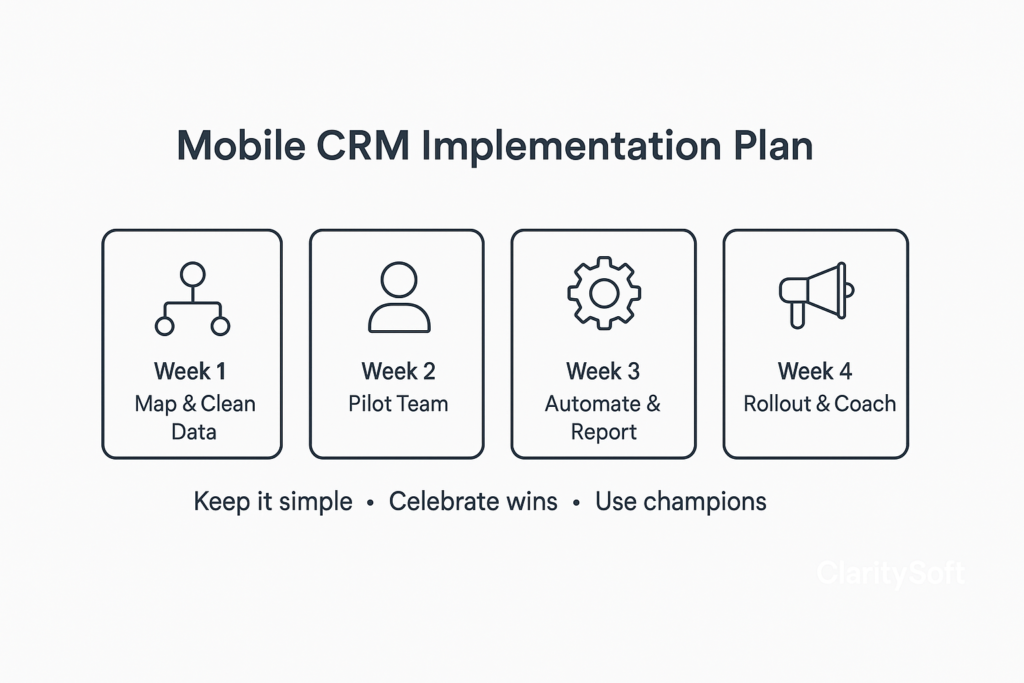
Week 1 workflow mapping and data cleanup → define your sales stages, required fields, handoff points, and minimum data standards. Remove duplicates, fix missing records, and agree on what good data looks like.
Week 2 pilot team launch → start with a small group of high activity reps and one manager. Test real workflows in live deals, then refine fields, alerts, and mobile layouts based on what they actually use.
Week 3 automation setup and reporting → build simple sequences for lead follow ups, demo reminders, proposal checks, and renewal nudges. Set up mobile dashboards for daily activity and pipeline movement.
Week 4 full rollout and coaching → expand to the wider team with short training sessions focused on mobile habits. Reinforce fast updates after calls, voice notes, and consistent next steps.
Change management tips for adoption → keep rules simple, celebrate early wins, and use peer champions from the pilot team. Tie usage to time saved and deals moved forward, not just app logins. Make mobile CRM the easiest path to doing the job well.
KPIs to Track After Deploying Mobile CRM
Once mobile CRM is live, these KPIs help you confirm that usage is turning into real sales impact. Track them weekly at first, then review trends monthly.
| KPI | Definition | How to improve it | Mobile CRM tools or habits that influence it |
| Lead response time | The time between a new enquiry or intent signal and the first meaningful sales response | Set response SLAs, prioritise high intent leads, reduce handoff delays | Push notifications, smart lead routing, instant call or message logging |
| Conversion rate by stage | The percentage of deals that move from one pipeline stage to the next | Tighten qualification, improve discovery scripts, fix stalls with better next steps | Mobile stage updates after every call, shared notes, task reminders |
| Sales cycle length | The total time from first contact to closed won | Remove approval delays, standardise follow ups, improve proposal speed | Mobile templates, automated sequences, quote tools, quick internal approvals |
| Win rate | The percentage of qualified opportunities that close successfully | Improve targeting, personalise outreach, strengthen objection handling | Real time account context, AI signals, mobile coaching notes |
| Rep activity to revenue ratio | How efficiently rep actions translate into revenue | Focus on high value activities, cut admin time, improve meeting quality | Voice to text notes, automation for routine tasks, daily activity dashboards |
| Retention and expansion revenue | Income from renewals, upgrades, and cross sell | Use service signals, watch usage patterns, engage before renewal risk | Shared customer timelines, alerts for account changes, mobile access to support history |
Common Mistakes That Reduce Mobile CRM ROI
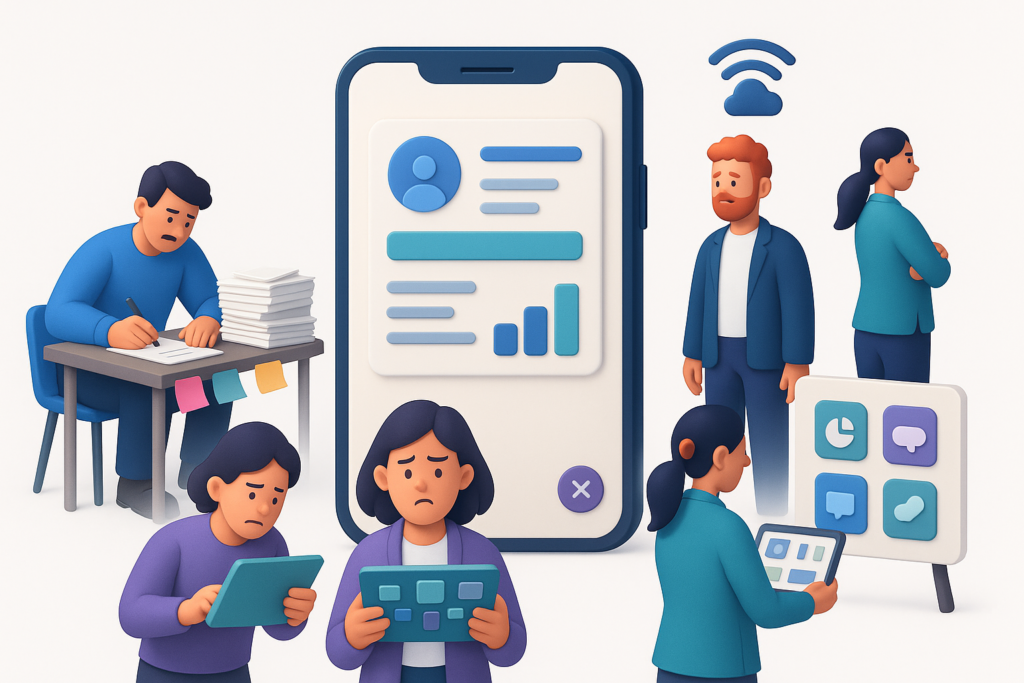
Mobile CRM can pay off quickly, but small setup and adoption errors can quietly drain the value. Watch out for these common traps that tend to slow usage and limit revenue impact.
- Overcomplicated fields and workflows that make reps feel like data entry clerks instead of sellers.
- Poor training that focuses on features instead of daily selling habits and real scenarios.
- Ignoring offline needs for teams that work in areas with weak or inconsistent connectivity.
- Lack of integration with marketing and support which creates broken handoffs and missing context.
- Measuring activity instead of outcomes so the team chases volume instead of real pipeline movement and closed deals.
Conclusion
Sales growth with mobile CRM comes down to small moments handled well. A fast reply when intent is high. A clean pipeline update right after the call. Notes captured while details are fresh. A quote sent before the buyer cools off.
Over time, these habits compound into shorter cycles, fewer missed follow ups, and a pipeline you can actually trust.
If you want a simple next step, look at your last two weeks of deals and ask three questions.
- How many leads waited too long for a response?
- How many opportunities lacked clear next steps?
- How often did a rep need information that was stuck on a laptop?
Your answers will show exactly where mobile access can unlock revenue.
If you are ready to put those wins on autopilot, take a look at Claritysoft. Our mobile CRM is built for real sales days, with on the go pipeline updates, note dictation, mobile mapping, and quick quote tools that help you move opportunities forward without extra friction.
Frequently Asked Questions
Yes, for most small teams it can be one of the fastest ways to tighten follow ups and reduce admin. A mobile setup helps you respond to leads quickly, keep notes accurate, and avoid the classic problem of customer details living in someone’s head or inbox.
A strong option to check out is Claritysoft. It supports mobile mapping for accounts, contacts, and leads, plus full access for managing sales activity while out in the field.Its broader CRM suite also emphasises lead management and sales automation, which are core needs for field teams.
It improves conversion mainly through speed and better context. Mobile alerts help reps respond while intent is still high, and on the spot logging keeps follow ups timely and personalised. When your team can act immediately with the right history and notes, fewer leads go cold. The Claritysoft mobile app messaging highlights more efficient contact and sales management on the move, which supports this flow.
Yes, many platforms include offline access. With Claritysoft, users can access data in offline mode and sync changes when they are back online. This is especially useful for field teams working in areas with unstable coverage.
Security depends on the platform and your internal controls, but strong mobile CRMs typically include protections like role based access and secure authentication. Claritysoft uses role based access control to restrict sensitive data.