
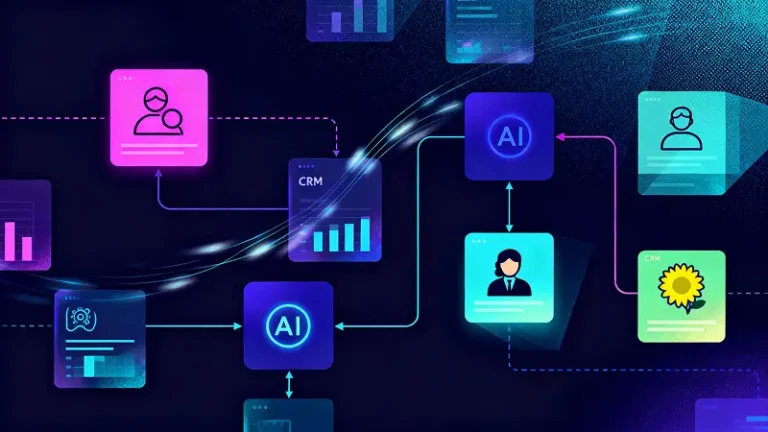
Your CRM can hold loads of customer info and still feel stale. That usually means the CRM is not being fed. Feeding it with AI looks like fresh contacts landing automatically, richer profiles with context, cleaner fields you can filter, smarter scores that match real intent, and faster follow ups that do not slip.
The payoff is measurable. AI powered CRMs deliver up to 245% ROI, with 29% faster sales cycles, 30% revenue increases, and 27% productivity boosts. Businesses see $3.70 returned per dollar invested in generative AI for CRM.
This is for sales ops, RevOps, marketing, customer success, support leaders, and CRM admins who want better data and cleaner execution without extra busywork.
Prep Work That Makes AI Actually Work In a CRM
Before you add any AI, set up the basics so your CRM receives clean inputs and the outputs stay consistent across teams.
Pick your CRM data sources
- Website forms: captures new leads and the exact fields they submitted
- Chat: keeps questions, objections, and contact details from conversations
- Emails: logs communication history and key follow ups automatically
- Calendar: ties meetings to the right contacts and accounts
- Phone calls: saves call outcomes, summaries, and next steps
- Support tickets: shows recurring issues, urgency, and customer sentiment
- Billing: tracks plan type, renewals, upgrades, and payment status
- Product analytics: connects usage signals to health and expansion chances
- Ad platforms: links campaigns to lead source and performance
- Events and webinars: records registrations, attendance, and engagement
Integration routes
Choose one main path to move data into the CRM, then stick with it so everything stays consistent.
- Native CRM connectors: Built in integrations inside your CRM that link common tools like email, ads, and support with minimal setup.
- iPaaS tools like Zapier, Make, and n8n: No code or low code automation that moves data between apps using triggers and actions, great for quick workflows.
- CDP plus reverse ETL: A customer data platform collects data from many sources, then reverse ETL pushes clean, unified profiles back into the CRM.
- Direct API and webhooks: A developer driven option that sends data in real time from your apps to the CRM, best when you need full control and custom logic.
Data rules before automation
- Required fields: prevents incomplete records from entering the pipeline
- Naming conventions: keeps stages and labels consistent across teams
- Owner rules: assigns leads and accounts clearly, with fewer disputes
- Duplicate rules: stops messy copies and supports clean merging
- Validation rules: enforces formats like phone numbers and country codes
- Audit trail: shows what changed, who changed it, and when
AI for CRM Data Capture and Hygiene (Ways 1 to 6)
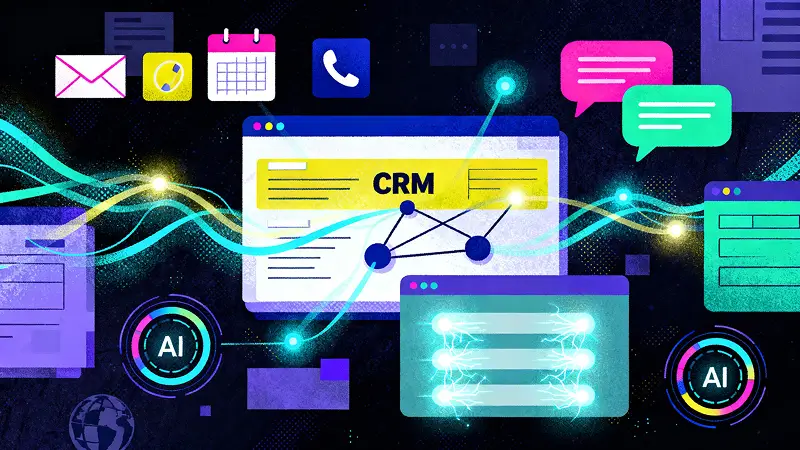
With the groundwork in place, the quickest wins come from capture and hygiene. This is where AI stops the slow leak of missing details, messy fields, and duplicate records that quietly damage reporting, follow ups, and handovers.
1) Auto capture contacts from emails, meetings and call logs
AI can turn everyday activity into clean CRM records without your team doing manual entry. When a rep emails a new prospect, books a meeting, or logs a call, AI can detect the person, company, role, and context, then create or update the record automatically.
???? Example: you have a Teams call with Sophie Turner, Operations Manager at XYZ Logistics. AI pulls her name, title, company, email domain, meeting date, and the topic discussed, then links everything to the right account.
???? It can also add a short call summary such as “Asked about pricing, needs a proposal by Friday,” and create a follow up task for the account owner.
???? Tip: Set a rule that AI writes only verified fields automatically, and suggests anything uncertain for quick human review.
Over time, this creates a CRM that matches reality, because the data comes directly from the tools your team already uses, across time zones and regions.
2) Form and chat auto fill with smart field mapping
Website forms and live chat often collect rich details, but they land in the CRM as messy notes, or they get dumped into the wrong fields. AI fixes this by mapping what people type into structured fields automatically.
Example: a form asks “What do you need help with?” and a visitor writes “We need a CRM for a 20 person sales team, looking to move from spreadsheets, budget under £600 a month.” AI can translate that into fields like team size, current system, budget band, and use case.
In chat, if someone says “We operate in the UK and Germany and we need GDPR compliant workflows,” AI can fill region, compliance requirement, and account tags. That means faster routing, smarter segmentation, and fewer missed details during the first response.
3) AI driven duplicate detection beyond exact matches
Basic duplicate rules miss real duplicates because people enter details differently. AI can match records using fuzzy logic and context, catching duplicates that look different on the surface.
Example: one record says “James OConnor” and another says “James O’Connor.” One account is “Acme Ltd” while another is “ACME Limited.” Emails might differ too, like a work address versus a personal Gmail used for a webinar signup.
AI compares multiple signals, such as company domain, address similarity, LinkedIn URL, meeting attendees, and prior messages to suggest a merge. It can also warn before creating a new record: “Possible match found with 88% confidence.”
This prevents split histories, avoids two reps chasing the same account, and improves reporting accuracy across regions.
4) Standardise messy fields (job titles, industries, addresses, countries)
Messy fields break filters, routing rules, and dashboards. AI can standardise common fields into a consistent format while keeping the original text for reference. Job titles are a big one. “Head of People,” “HR Lead,” and “People Operations Manager” can map to a standard function such as HR and a seniority band like Manager or Director.
Industries get cleaned too. “Fintech,” “Financial services,” and “Payments” can roll up into one main category with sub tags. For addresses and countries, AI can standardise formats like “London, UK” into “London, United Kingdom,” and align county, region, and postcode rules.
Example: territory reporting improves because “UK,” “United Kingdom,” and “Great Britain” stop appearing as separate markets. This is how your CRM becomes searchable and reliable for a global team.
5) Fix incomplete records with suggested values and confidence scores
Instead of leaving blanks, AI can suggest missing values and show a confidence score, so your team can approve quickly or correct when needed.
Example: a lead arrives with just an email and company name. AI suggests likely industry, company size range, location, and job role based on the domain, public company signals, and patterns from similar accounts in your pipeline.
You might see “Industry: Cybersecurity (91% confidence)” and “Company size: 200 to 500 employees (78% confidence).” Your CRM admin can set rules so anything below a chosen threshold stays as a suggestion rather than being written automatically.
This keeps your CRM improving without guesswork, helps reps personalise outreach faster, and gives marketing cleaner segments for campaigns.
6) No blank CRM alerts that flag missing deal critical fields
A no blank CRM setup acts like a safety net. AI scans active leads and deals, then flags missing fields that block progress, especially for late stage opportunities.
Example: a deal moves to proposal stage, but there is no decision maker listed, no target close date, and no next meeting booked.
AI alerts the owner and suggests what to capture next, such as stakeholder role, budget band, buying timeline, and next step. It can also trigger prompts after key moments.
After a demo, it checks for use case, competitors, and procurement steps. After a call, it asks for outcome and a dated follow up action. This keeps pipeline hygiene strong without nagging people with generic reminders, and it improves forecasting and handovers across teams.
AI for CRM Enrichment and Account Intelligence (Ways 7 to 12)

Once capture and hygiene feel solid, enrichment becomes the next big unlock. This is where your CRM stops being a list of names and starts reading like a living account file that helps teams qualify faster, personalise outreach, and spot risks before they show up in revenue.
7) Enrich contact and company profiles from trusted data sources
AI can enrich CRM records by pulling verified details from reputable sources and matching them to the right contact or account.
Think job role, seniority, company website, location, and public facing context that helps a rep approach the conversation with confidence.
Example: a lead signs up with “alex@xyz.co.uk” and a first name. AI can suggest the full name, role, and company profile, then add structured fields that make the record usable.
It can also highlight what matters, like “Works in procurement” or “Based in Manchester office.” The value is speed and accuracy. Teams stop wasting time googling basics, and marketing can segment properly without guessing.
A smart setup also adds guardrails, such as showing the enrichment source, logging when the data was pulled, and letting admins decide which fields can be auto written versus suggested for review.
8) Add firmographics automatically (size, sector, locations, tech stack tags)
Firmographics help you decide fit quickly. AI can fill in company size ranges, sector categories, office locations, and even tech stack tags, then keep those fields consistent across the CRM.
Example: the account “XYZ” enters your pipeline with no clear segmentation. AI tags it as “Financial services,” suggests “200 to 500 staff,” lists “UK and EU offices,” and adds tech stack tags like “Salesforce,” “Shopify,” or “Microsoft 365” if those signals are available from trusted sources. This makes routing and messaging sharper.
A mid market sales team can focus on accounts in the right size band, while enterprise reps get the larger ones automatically.
For customer success, it helps set expectations. A multi site account with multiple locations often needs a different onboarding plan than a single office team, and AI can help flag that early.
9) Map buying committees by role and relationship signals
Most B2B deals involve a group, not one person. AI can help map the likely buying committee by identifying roles and relationship signals across emails, meetings, and CRM activity.
Example: one contact is the day to day user, another approves budgets, and another is involved in security or compliance.
AI can label these as “Champion,” “Decision maker,” “Finance,” “Legal,” or “IT” based on behaviour and language patterns, then suggest who is missing. It can also detect relationships.
If the same two people appear on every meeting invite, AI can infer influence and flag them as key stakeholders. This helps reps avoid single thread risk.
It also helps customer success plan handovers, because the team can see cleanly who to speak to for renewals, who cares about value outcomes, and who will challenge pricing.
10) Link accounts to parent groups and subsidiaries automatically
Account structure gets messy fast when subsidiaries, divisions, and regional entities exist. AI can detect relationships and suggest links between child accounts and the parent group, so the CRM reflects how the business actually operates.
Example: you have “XYZ UK,” “XYZ Germany,” and “XYZ Group” created at different times by different team members. AI can spot shared domains, addresses, invoice details, and company identifiers to recommend a hierarchy.
This matters because buying decisions and budgets often sit at group level, even when the day to day usage sits in a local subsidiary. When the CRM reflects that structure, sales can coordinate outreach and avoid conflicting conversations.
Customer success can also manage renewals better by tracking which teams are on which plan, what the group wide contract terms look like, and where expansion opportunities exist across regions.
11) Summarise account history into a one screen briefing for sales and success
AI can turn scattered notes, emails, calls, support tickets, and product usage signals into a short account briefing that fits on one screen.
Example: instead of reading thirty timeline entries, the rep opens a briefing that says: key contacts and roles, last interactions, current deal stage, open objections, support themes, product adoption level, renewal date, and the next recommended action.
For customer success, the same view can highlight onboarding status, recent ticket sentiment, and risks like declining usage.
This reduces context switching and makes handovers smoother. A practical approach also includes links back to sources, so the user can verify details quickly.
The goal is simple: fewer “What did we agree last time?” moments, and more confident conversations because everyone starts with the same shared context.
12) Update records when changes happen (role changes, company moves, new locations)
CRMs go stale when people change roles, companies rebrand, or offices open and close. AI can monitor trusted signals and prompt updates so your records stay current. Example: a key stakeholder moves to a new company.
AI flags it and suggests creating a new contact record, linking the old relationship, and updating the opportunity notes if relevant. If an account opens a new location, AI can suggest adding it to the account profile and tagging the territory correctly.
This protects pipeline and renewals. A deal can stall simply because you are emailing someone who has left, and a renewal can get delayed because the billing contact changed months ago.
The best setups keep humans in control, with prompts, confidence scores, and approval steps so updates stay accurate and compliant.
AI for Lead Qualification, Routing and Follow-Up (Ways 13 to 18)

When your CRM data feels clean and enriched, the next problem becomes speed. Who deserves attention first, who should own the lead, and what happens next so good opportunities do not go cold. AI helps here by turning signals into decisions, then turning decisions into action.
13) AI lead scoring using behavioural, firmographic and engagement signals
AI lead scoring works best when it combines what the lead does with who the lead is. Behavioural signals include actions like visiting pricing pages, downloading a guide, replying to emails, or attending a webinar.
Firmographic signals include size, sector, and location. Engagement signals include frequency, recency, and depth of interaction. Example: a lead from XYZ submits a form, visits the pricing page twice, and books a demo within 24 hours.
AI scores this higher than someone who only read a blog post once. A good system also stops false positives.
If a student email reads content for research, the score stays low. The score becomes far more useful when you can see why it changed, so reps trust it and act fast.
14) Predict lead to customer likelihood with explainable drivers
Beyond a score, AI can predict the likelihood of a lead becoming a customer and show the reasons behind that prediction. This helps teams stop guessing and start prioritising intelligently.
Example: AI flags a lead as high likelihood because the company size matches your best customers, the lead requested a pricing breakdown, and there was a strong reply to an outreach email.
It might also flag a lead as lower likelihood because the organisation sits outside your target region or the use case does not match your product.
Explainable drivers matter because teams need to learn from the model. When the CRM shows the top drivers, a rep knows what to focus on, and marketing learns which campaigns bring the right people. This turns prediction into a coaching tool, not a mysterious number that nobody uses.
15) Smart lead routing based on fit, language, region and rep capacity
Routing decisions can make or break speed to lead. AI can assign leads based on fit and fairness, so the right rep gets the right lead at the right time.
Example: a lead from XYZ requests a demo, selects French as their preferred language, and lists France and Belgium as operating regions.
AI routes the lead to a rep who covers that region and speaks the language, while also checking current workload. You can set rules like:
- Route by territory and time zone for faster follow ups
- Route by sector experience when accounts need specialist knowledge
- Balance by capacity so one rep does not get overloaded
This reduces handoff delays, prevents leads sitting untouched, and makes performance tracking clearer because routing logic stays consistent.
16) Auto create follow up tasks with the best timing suggestions
Follow up is where deals quietly die, usually because the next step was not logged, or the timing was wrong.
AI can create tasks automatically and recommend the best time to act based on engagement patterns.
Example: after a discovery call, AI creates tasks like “Send proposal,” “Confirm decision maker,” and “Book next meeting,” then suggests timing such as “Send within 2 hours while interest is high” or “Follow up Tuesday morning based on prior reply behaviour.” It can also adapt by channel:
- If the lead replies quickly by email, prioritise email follow ups
- If the lead engages more on calls, suggest a phone follow up
This keeps momentum without relying on memory or sticky notes, and it builds a repeatable rhythm for the whole team.
17) Generate personalised first touch messages from CRM context (with guardrails)
AI can draft first touch messages that feel relevant by using the context already inside your CRM, such as the lead’s role, pain point, recent activity, and industry.
Example: a lead from XYZ visits your integration page and then downloads a migration checklist. AI drafts a short email referencing migration concerns and suggesting a quick call to map steps.
The guardrails matter, so the output stays safe and consistent. Good guardrails include:
- Approved tone and length rules
- No invented facts, only confirmed CRM fields
- Required human review for outbound emails
- Blocklists for sensitive topics and personal data
This way, reps save time on drafting while still sounding human and accurate, and brand risk stays low.
18) Detect hot lead intent from page views, emails and chat phrases
AI can spot buying intent that a human might miss, especially when signals are spread across tools.
Hot intent often shows up as patterns: repeat visits to pricing pages, reading case studies, asking about contract terms, or using phrases in chat like “timeline,” “budget,” “procurement,” or “security review.”
Example: someone from XYZ visits pricing three times in one day, opens two emails, and chats asking “Do you integrate with our existing system, and how quickly can we go live?”
AI flags this as hot intent, boosts the score, alerts the owner, and recommends a next action such as offering a call slot within 24 hours.
This is how teams win on speed, because the lead gets attention at the exact moment they are ready to move.
AI for Pipeline and Deal Execution (Ways 19 to 23)

Once leads are qualified and routed correctly, the real work starts inside the pipeline. This is where deals can drift, stakeholders disappear, and forecasts turn into guesswork.
AI helps by spotting risk early, keeping next steps obvious, and capturing deal context so the CRM stays accurate without slowing the team down.
19) Deal risk alerts (stalled stages, missing stakeholders, weak activity)
AI can watch your pipeline patterns and flag deals that look healthy on paper but are quietly slipping. It checks signals like time in stage, gaps in activity, missing decision makers, and unclear next steps.
Example: a deal from XYZ has sat in “Proposal sent” for 18 days with no replies, no meeting booked, and only one contact listed. AI triggers a risk alert and suggests what is missing, such as identifying procurement, confirming budget owner, or scheduling a follow up call.
These alerts work best when they are specific, not noisy. You can also tailor triggers by deal size, so high value deals get earlier warnings while smaller deals get lighter reminders.
The result is fewer surprises at the end of the month and more control during the deal, when you can still change the outcome.
20) Next best action recommendations per deal stage
AI can recommend the next best action based on the deal stage and what typically moves deals forward for your team. Instead of staring at a pipeline and guessing, reps get practical prompts tied to outcomes.
Example: in discovery stage, AI recommends confirming the use case and success criteria. In evaluation, it suggests adding technical validation and a stakeholder map. In procurement, it prompts for legal and finance contacts. Strong recommendations can include simple checklists:
- Discovery: confirm pain points, timeline, success metrics
- Demo: align key stakeholders, document objections, agree next meeting date
- Proposal: send recap, confirm decision process, set a decision date
These prompts keep deals moving in a consistent way across the team. They also make coaching easier because managers can see which actions were taken and which ones were skipped.
21) Forecast deal close dates with probability bands, not gut feel
Forecasting breaks when close dates come from optimism rather than evidence. AI can predict likely close dates and show probability bands based on real signals, like stage velocity, activity trends, stakeholder coverage, and past deal patterns.
Example: a rep sets a close date for next Friday, but AI suggests a more realistic window, such as “Likely close in 3 to 5 weeks,” with a probability range. This is not about replacing the rep’s judgement. It provides a reality check and makes the forecast more stable for planning.
Probability bands also help leadership make better decisions, because they can see the difference between deals that are genuinely likely to close soon versus deals that need more work. Over time, this improves pipeline hygiene because reps learn what signals actually predict progress.
22) Auto log and summarise calls, then push key points into the CRM
AI can remove the friction of call notes by logging calls automatically, summarising what mattered, and writing key points into the correct CRM fields.
Example: after a call with XYZ, AI creates a summary with sections like pain points, requirements, objections, decision process, and next steps.
It can also update structured fields, such as “Deal stage,” “Next meeting date,” and “Primary stakeholder role,” instead of leaving everything buried in a long note.
This is especially useful for handovers. When a manager or customer success specialist steps in, they can understand the story quickly without listening to recordings.
The best setups also allow quick edits, so reps can correct anything before it is saved. Done well, this keeps the CRM accurate while saving time and improving consistency across the whole sales cycle.
23) Quote and proposal assistance using CRM data (products, pricing rules, terms)
AI can speed up quoting and proposals by pulling accurate details from the CRM and applying your rules consistently.
Example: the rep selects a package, seats, and contract length for XYZ, and AI drafts a quote using approved pricing rules, discount limits, and standard terms.
It can also insert relevant deal context, like the agreed scope, success criteria, and implementation timeline, so proposals feel tailored without being rewritten from scratch. A practical system can help with:
- Product and bundle suggestions based on use case
- Pricing and discount guardrails based on approval levels
- Standard clause selection based on region and contract type
This reduces errors, shortens back and forth, and keeps your commercial process consistent, especially when multiple reps handle deals across different regions.
AI for Customer Success, Support and Retention in the CRM (Ways 24 to 27)

After the deal closes, the CRM still needs feeding, maybe even more than before. Renewals, adoption, support experience, and expansion all depend on having the right signals in one place.
AI helps customer success and support teams spot problems earlier, capture what customers actually need, and turn everyday interactions into clear actions that protect revenue.
24) Churn risk scoring using usage signals, ticket trends and sentiment
AI can score churn risk by combining product usage trends, support activity, and how the customer feels in conversations.
A drop in logins, fewer key actions completed, and a spike in tickets can signal frustration long before a cancellation email arrives. Example: XYZ’s usage falls for two weeks, tickets increase, and recent messages include words like “urgent,” “blocked,” and “disappointed.” AI flags the account as high risk and highlights the drivers so the team knows what to fix first.
Strong churn scoring looks at patterns, not one off events. It also updates continuously, so risk drops when usage improves and tickets stabilise.
This helps teams prioritise outreach and plan interventions that match the real cause, such as training, technical support, or stakeholder alignment.
25) Renewals and expansion prompts based on patterns in similar accounts
AI can suggest renewals and expansion opportunities by spotting patterns across accounts that behave like each other. Example: XYZ starts using a feature that typically correlates with upgrades, such as inviting more users or hitting usage limits.
AI prompts the success manager with a clear suggestion and reason, such as “Accounts with this usage pattern often add seats within 30 days.”
It can also support renewal readiness by flagging what is missing, like an executive check in or a documented success outcome. Useful prompts often look like:
- Renewal risk: low usage near renewal date, unresolved support issues
- Expansion signal: growing team, increased feature adoption, high engagement
- Upsell fit: new department adoption, new region rollout, added compliance needs
This keeps renewal planning proactive instead of reactive and helps teams act at the right moment.
26) Ticket and case categorisation that writes clean CRM notes automatically
Support data becomes valuable when it is structured, not buried in long threads. AI can categorise tickets by issue type, severity, product area, and root cause, then write clean CRM notes that anyone can understand.
Example: a ticket conversation includes logs, screenshots, and short replies over several days. AI summarises it into a clear note like “Issue: login error, Impact: multi user, Resolution: password policy updated, Follow up: user training recommended.”
It can also tag the case as billing, technical, onboarding, or feature request, which makes reporting and trend spotting easier. This improves handovers too.
If a customer success manager checks the CRM, they see what happened and how it was resolved without reading every message.
Over time, these structured notes help identify recurring pain points and prioritise product improvements.
27) Customer health summaries that combine product usage, support, and finance signals
AI can generate a one screen customer health view by pulling together usage, support history, and commercial data.
Instead of checking three dashboards, the team gets a single summary that says where the account stands and what to do next.
Example: XYZ has strong weekly usage, low ticket volume, and an upcoming renewal in 45 days, so AI labels health as strong and suggests a value review call to lock in renewal early.
If usage drops while invoices go overdue and tickets rise, AI highlights that the account needs attention and recommends a plan. A useful health summary typically includes:
- Adoption: key feature usage, active users, trend direction
- Support: open issues, recent sentiment, time to resolution
- Commercial: plan type, renewal date, payment status
This gives customer success and leadership a shared truth, making retention work faster and more coordinated.
AI Governance That Keeps CRM Automation Safe (Way 28)
All the automation in the world means nothing if teams cannot trust it. Before you scale AI across your CRM, you need simple guardrails that protect customers, protect your business, and keep the data clean.
28) Consent, privacy and model monitoring baked into CRM workflows
Safe CRM automation starts with consent and privacy built into the workflow, not added later. AI should only use and store what you are allowed to collect, and it should be clear why each field exists.
For GDPR and UK data protection, that means tracking opt in status, recording when consent was captured, and honouring preferences across email, SMS, and ads.
Example: if a contact from XYZ opts out of marketing emails, AI can still help log support interactions, but it must not trigger marketing sequences.
Good governance also means keeping data lean and traceable:
- Data minimisation: collect only what you need for the purpose
- Audit logs: show what changed, who changed it, and when
- Human approval steps: required for pricing changes, contract terms, or sensitive outbound messages
Model monitoring matters too. If AI starts suggesting wrong industries or misclassifying sentiment, you need an alert, a feedback button, and a way to review accuracy over time. This keeps automation useful, compliant, and safe to scale.
Practical Rollout Plan (So It Does Not Turn Into “Another CRM Project”)
Keep the rollout small, measurable, and tied to real day to day work. The fastest way to lose momentum is trying to automate everything at once.
Pick a few workflows that remove busywork and improve outcomes within weeks, then build from there.
Start with the highest impact workflows: hygiene, lead routing, call summaries, and churn risk. These touch almost every team, and they quickly improve data quality, follow up speed, and visibility.
Once these are stable, adding richer automation feels natural because the foundation is already clean.
Now move with a simple 30 60 90 day plan.
| Phase | Timeline | Focus | What “done” looks like |
| Pilot | Days 1 to 30 | Launch 1 to 2 workflows, limit users, set clear rules | Clean data inputs, low error rate, teams actually use it daily |
| Measure | Days 31 to 60 | Review results, fix gaps, refine prompts and routing logic | Faster response times, fewer duplicates, better notes and summaries |
| Expand | Days 61 to 90 | Roll out to more teams, add 1 to 2 new workflows | Consistent usage across teams, fewer manual steps, clearer pipeline |
| Standardise | After 90 days | Lock governance, documentation, training, and monitoring | Repeatable process, stable metrics, easy onboarding for new users |
To stay grounded, track the metrics inside the CRM: data completeness, duplicate rate, speed to lead, conversion by stage, forecast accuracy, churn rate, CSAT, and time to resolution.
Common Pitfalls (And How to Avoid Them)
Problems usually show up after the first rollout, so it helps to know what to watch for early.
AI made our CRM messy
This happens when AI writes into the CRM without strict field rules and ownership. Keep AI outputs structured and predictable. Limit auto writing to low risk fields and use suggestions for anything uncertain.
Add validation rules and confidence thresholds, and review a small sample every week so errors do not quietly spread.
Scores nobody trusts
Lead scores fail when they feel random. Make scoring transparent by showing the top reasons a score moved. Keep the model simple at first, and align it with your actual conversion data.
Run a short test where reps compare the score to their own judgement, then adjust thresholds until it matches reality. If reps cannot explain the score in one sentence, they will ignore it.
Automation spammed customers
Automation becomes spam when it triggers too often or ignores context. Add frequency caps, quiet hours by time zone, and stop rules that pause sequences when someone replies or opens a support case.
Require human review for first touch outreach, and block automation from using sensitive data in messages.
Teams stopped updating records
This usually means the process feels annoying or pointless. Reduce required fields to what truly matters, and let AI do the heavy lifting through call summaries and smart prompts.
Show teams the payoff by tying CRM hygiene to real wins like faster follow ups, cleaner handovers, and fewer awkward surprises in pipeline reviews.
Key Takeaway
A CRM works best when it stays fresh without your team chasing updates all day. That’s what AI brings to the table.
It captures the details people forget, keeps records clean, adds context that helps teams personalise conversations, and turns signals into next steps your reps and success team can act on straight away.
When the data stays tidy, lead scoring becomes more reliable, routing gets faster, forecasts feel less shaky, and customers get better follow ups because nothing slips through the cracks. Start small, prove value, then expand the workflows that remove the most busywork.
If you want a CRM that feels simpler to run and easier to trust, we can help. Explore Claritysoft to see how our CRM supports clean data, smarter automation, and clear visibility across sales and customer success, then request a demo to see it in action.
Frequently Asked Questions
Can AI replace manual CRM data entry?
It can handle most capture and updates, but you still need humans for judgement calls and final approvals.
Which CRM data should never be generated automatically?
Pricing promises, contract terms, legal notes, sensitive personal data, and anything that could harm a customer if wrong.
How do you keep AI outputs accurate and compliant?
Use required fields, validation rules, confidence thresholds, audit logs, and human approval for sensitive actions.
What is the best AI stack for Salesforce, HubSpot, Dynamics, Zoho, or Pipedrive?
Use the CRM’s native AI and workflows first, then add an automation layer like Zapier, Make, or n8n for gaps.
How much does AI CRM automation cost to run at scale?
Usually a mix of CRM AI add ons, automation tool fees, and model usage, scaling with users, volume, and complexity.