
Account Management Software
See the Complete Relationship Behind Every Company.
Account Management in Claritysoft CRM gives your team one centralized place to organize every company and organization you do business with. View company details, associated contacts, sales opportunities, activities, quotations, orders, invoices, and relationship history from a single account record.
Instead of searching through disconnected records, everyone can quickly understand who is involved, what has happened, and what needs attention next.
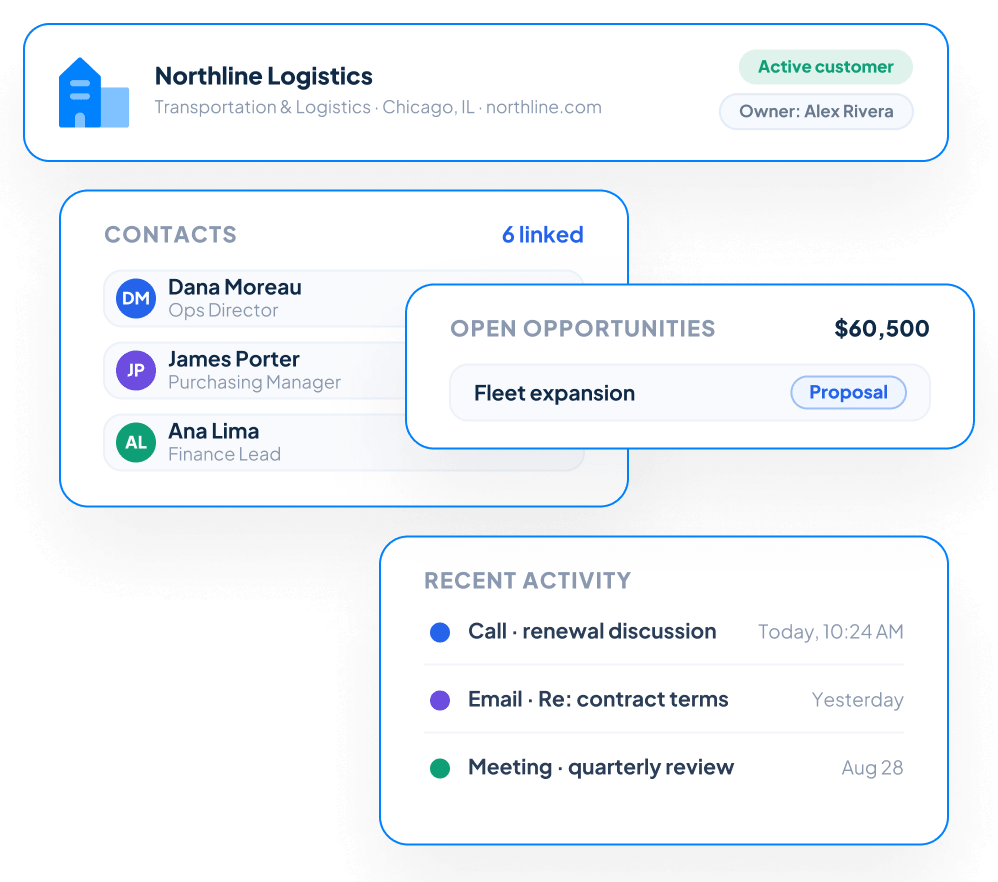

Everything You Need to Organize Customer Relationships
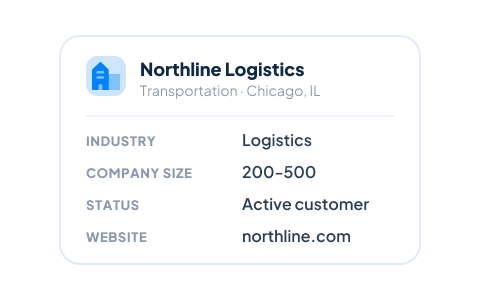
Centralized Company Records
Store important company information such as business name, industry, address, phone numbers, website, company size, account status, and other key details in one organized record.
Everyone works from the same current information, reducing duplicate records and helping your team maintain a more accurate customer database.
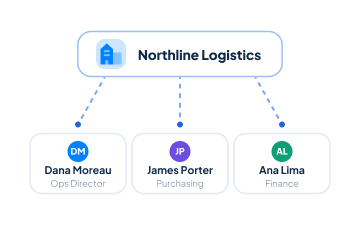
Connect Multiple Contacts
Associate multiple Contacts with each account so your team can see everyone involved in the relationship. Maintain individual contact details, communication history, responsibilities, and job roles while keeping each person connected to the appropriate company.
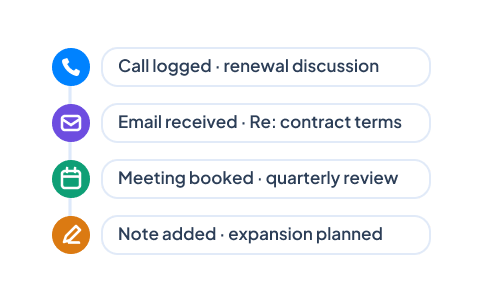
View Complete Relationship History
Review calls, emails, meetings, notes, tasks, and other customer interactions connected to the account. Before reaching out, employees can quickly understand what has already happened and continue the relationship with the right context.
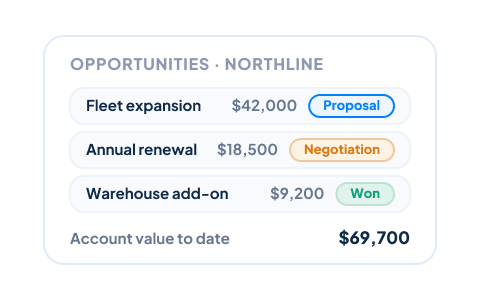
Track Account Opportunities
View every active and previous sales opportunity associated with a company through Sales Pipeline Management. Your team can understand current deal activity, previous sales efforts, expected revenue, and the overall value of the account.
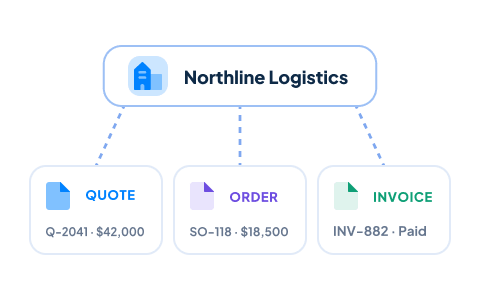
Keep Quotes, Orders, and Invoices Connected
Review related Quotations, Sales Orders, and Invoices without searching through separate systems or records. Keeping transactions associated with the account gives sales, service, and management teams a clearer understanding of the customer’s purchasing history.
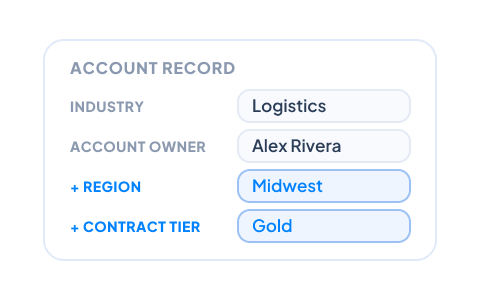
Customize Account Records
Add custom fields, sections, and layouts to capture the company information most important to your business. Claritysoft CRM adapts to your processes rather than forcing your team into a rigid account structure.
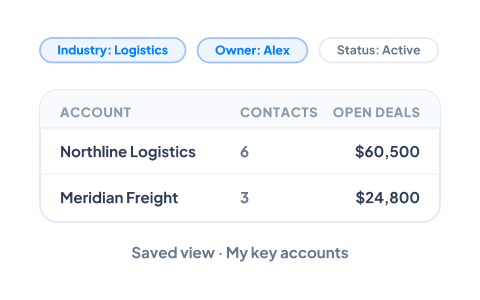
Create Personalized Account Views
Build views that focus on the companies most relevant to each employee. Filter accounts by owner, industry, location, customer type, status, opportunity activity, custom fields, or other criteria stored in Claritysoft CRM.
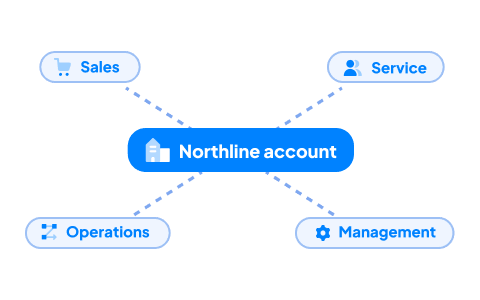
Give Every Team Shared Customer Context
Sales, customer service, operations, and management can work from the same account record while accessing the information appropriate to their roles. Shared visibility helps reduce internal confusion and prevents important customer knowledge from remaining trapped in one employee’s inbox or personal notes.

What Is Account Management in a CRM?

Everything You Need to Manage Your Sales Pipeline
Visual Kanban Pipeline Boards
Manage opportunities with intuitive Kanban boards that provide a clear, real-time view of every deal. Drag and drop opportunities from one stage to the next as they progress, making it easy to see what is moving forward, what requires attention, and what may be ready to close.
Custom Sales Stages
Every business sells differently. Create custom stages that reflect your sales process, terminology, and workflow instead of changing the way your team works to fit a predefined system.
Multiple Sales Pipelines
Create separate pipelines for different products, services, business units, territories, or sales processes. Each pipeline can follow its own stages while every opportunity remains connected within one CRM platform.
Personalized Pipeline Views
Build views that display the opportunities most important to you. Filter by salesperson, expected close date, deal value, probability, territory, lead source, or virtually any other criteria to create useful on-screen reports tailored to your workflow.
Custom Opportunity Records
Capture the information your business needs by adding custom fields, sections, and layouts to opportunity records. Your team sees the details that matter without unnecessary information getting in the way.
Pipeline Dashboards and Charts
Monitor deal volume, forecasted revenue, sales activity, and overall pipeline health with customizable charts and dashboards. Give salespeople and managers timely insight into performance without relying on manually maintained reports.
Identify Stalled Opportunities
Quickly find deals that have not progressed so your team can follow up before valuable opportunities are lost. Clear visibility into inactive opportunities helps salespeople prioritize their time and gives managers a better understanding of pipeline risk.
Connected Sales Activities
Every opportunity becomes a central workspace for the sale. Review the associated Contacts and Accounts, track calls and meetings through Activity Management, create professional Quotations, and continue successful deals through Sales Order Management or Project Management.
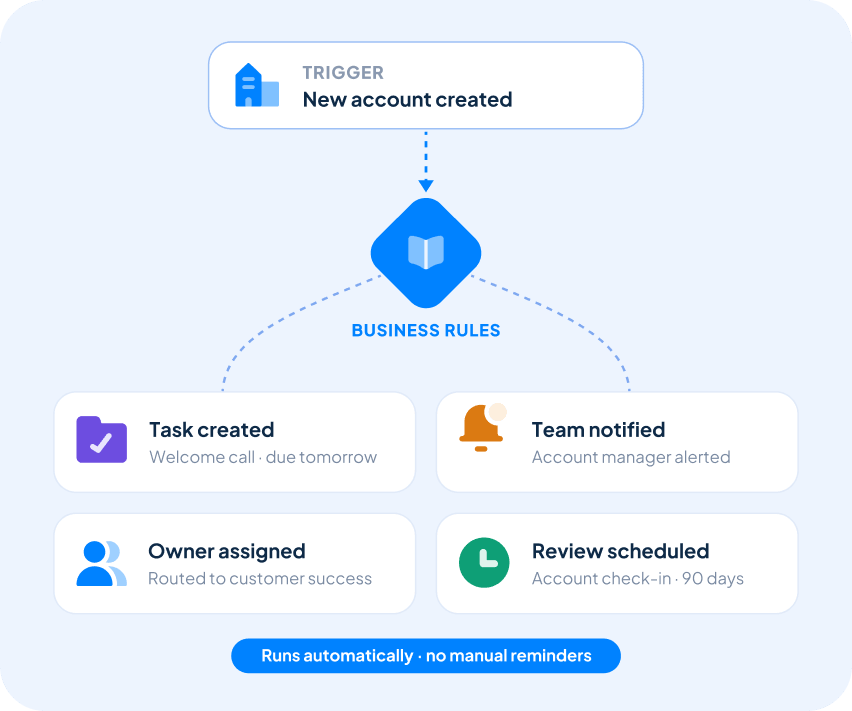
Automate Your Sales Process
Keep important customer relationships moving without relying entirely on manual reminders.
With Workflow Automation, Claritysoft CRM can create follow-up tasks, assign responsibilities, notify employees, and update supported account information based on the business rules your organization defines.
Automation helps your team apply consistent processes to new customers, account reviews, renewals, sales activity, and other important relationship events.
Built for Growing Businesses
Growing businesses need a complete view of every customer organization without the complexity of enterprise account-management systems.
Account Management is a core capability of Claritysoft CRM, giving small and midsize businesses a practical way to organize B2B relationships and keep contacts, activities, opportunities, and transactions connected.
Whether you manage hundreds or thousands of accounts, your team can quickly find the information it needs and spend less time searching through disconnected systems.
Explore Related CRM Capabilities
Contact Management
Connect each deal to the people involved in the buying decision.
Sales Pipeline Management
Track opportunities involving each contact.
Activity Management
Track calls, emails, meetings, tasks, and follow-up activities.
Quotation Management
Create professional quotations directly from an opportunity.
Sales Order Management
Continue accepted deals into order processing and fulfillment.
Lead Management
Capture and qualify prospective customers before creating an opportunity.
Plan Availability
Included with Core and Complete.
Quote Management, Sales Order Management, Invoice Management, and Workflow Automation are available in the Complete plan.
Frequently Asked Questions
What is account management in a CRM?
What is the difference between an Account and a Contact?
Can one account have multiple contacts?
Can I customize account records?
Yes. Administrators can add custom fields, sections, and layouts to capture the company information most relevant to your business.