
Lead Management Software
Every Lead. Every Follow-Up. Every Opportunity—Organized.

Everything You Need to Manage Leads More Effectively
Capture Leads From Every Source
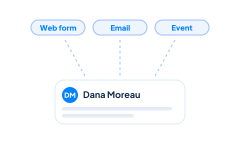
Capture prospective customers from website forms, email inquiries, referrals, trade shows, phone calls, advertising campaigns, or manual entry. Every new lead is stored in one centralized location where your sales team can review and act on it.
Organize Lead Information
Keep names, companies, email addresses, phone numbers, areas of interest, notes, and other important details together in one lead record. Everyone works from the same information instead of searching through separate inboxes or spreadsheets.
Qualify Prospects Faster
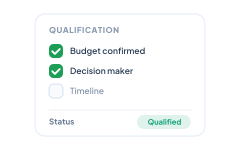
Record the information your team needs to determine whether a prospect is a good fit. Clear qualification details help salespeople prioritize serious opportunities and avoid spending too much time on leads that are not ready to move forward.

Track Lead Sources
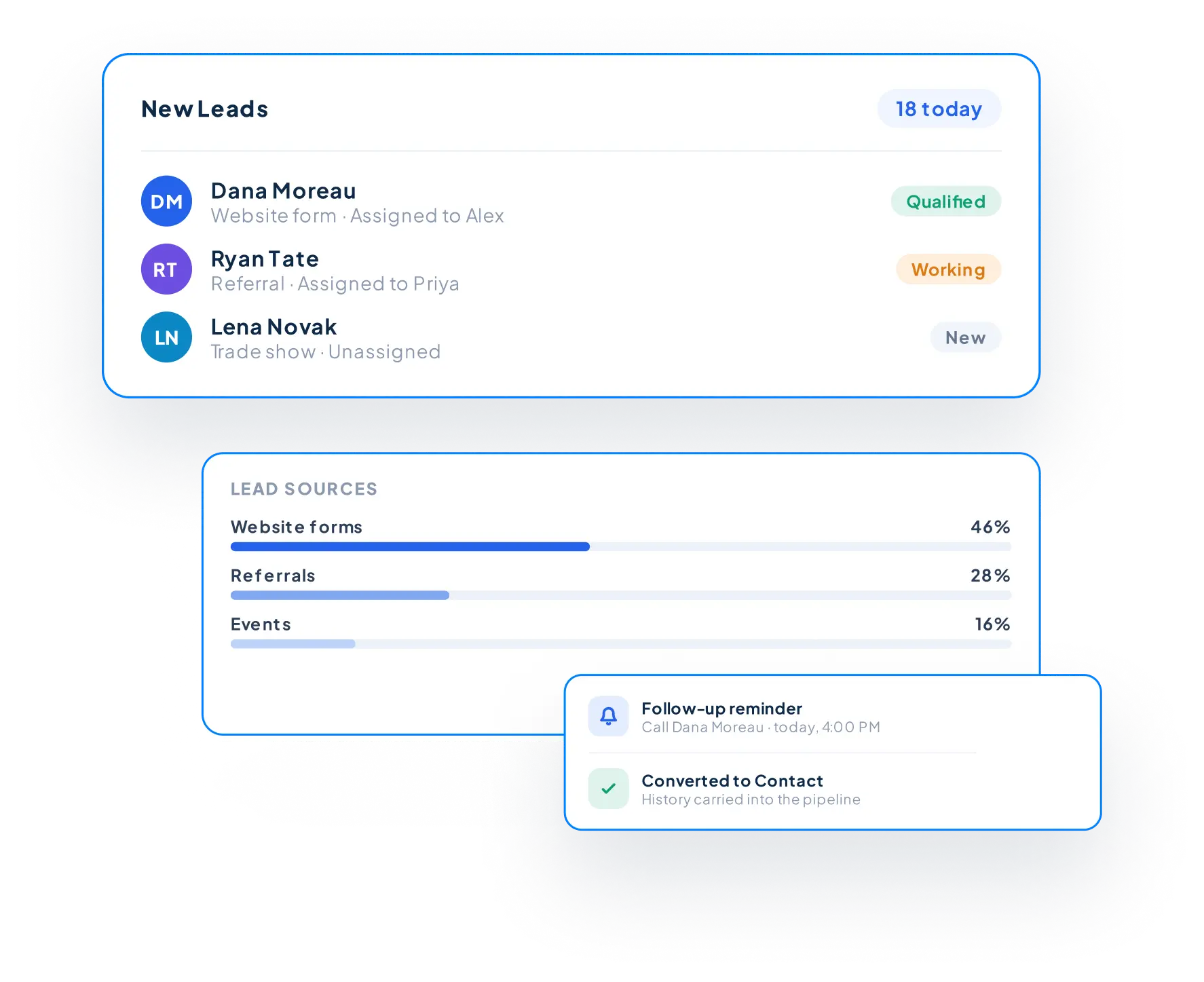
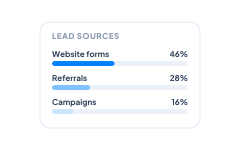
See where each lead originated, including website forms, referrals, marketing campaigns, events, advertising, and other channels. Lead source information helps your team understand which efforts are generating prospective customers and where new business is coming from.
Assign Clear Ownership
Assign each lead to the appropriate salesperson so everyone knows who is responsible for follow-up. Automatic lead assignment can route new inquiries according to your team’s process, improving response times and accountability.
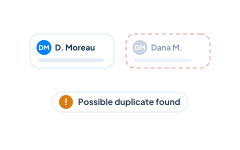
Prevent Duplicate Records
Identify potential duplicates before unnecessary lead records are created. Keeping your database clean helps your sales team avoid conflicting follow-up, repeated outreach, and incomplete customer histories.

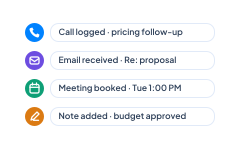
Track Every Interaction
Keep calls, emails, meetings, notes, and follow-up tasks connected to the lead through Activity Management. Before contacting a prospect, your team can review what has already happened and continue the conversation with the right context.
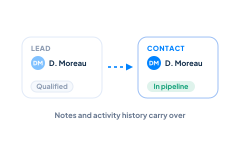
Convert Qualified Leads
Once a prospect is ready to move forward, convert the lead into a Contact and continue the sales process through Sales Pipeline Management. Important lead information, notes, and activity history remain available so your team does not have to start over.

What Is Lead
Management?
Lead management is the process of capturing, organizing, tracking, and qualifying prospective customers from their first interaction with your business until they are ready to enter the sales process.
Instead of managing inquiries through spreadsheets, email inboxes, or disconnected notes, CRM lead management software brings every prospect into one centralized system. Your team can see where each lead came from, who is responsible for following up, what interactions have already occurred, and what needs to happen next.
As leads become qualified, their information and activity history can continue into your contact records and sales pipeline, giving your team a clear view of the relationship from the first inquiry through the completed sale.

Everything You Need to Manage Leads More Effectively
Capture Leads From Every Source
Capture prospective customers from website forms, email inquiries, referrals, trade shows, phone calls, advertising campaigns, or manual entry. Every new lead is stored in one centralized location where your sales team can review and act on it.
Organize Lead Information
Keep names, companies, email addresses, phone numbers, areas of interest, notes, and other important details together in one lead record. Everyone works from the same information instead of searching through separate inboxes or spreadsheets.
Qualify Prospects Faster
Record the information your team needs to determine whether a prospect is a good fit. Clear qualification details help salespeople prioritize serious opportunities and avoid spending too much time on leads that are not ready to move forward.
Track Lead Sources
See where each lead originated, including website forms, referrals, marketing campaigns, events, advertising, and other channels. Lead source information helps your team understand which efforts are generating prospective customers and where new business is coming from.
Assign Clear Ownership
Assign each lead to the appropriate salesperson so everyone knows who is responsible for follow-up. Automatic lead assignment can route new inquiries according to your team’s process, improving response times and accountability.
Prevent Duplicate Records
Identify potential duplicates before unnecessary lead records are created. Keeping your database clean helps your sales team avoid conflicting follow-up, repeated outreach, and incomplete customer histories.
Track Every Interaction
Keep calls, emails, meetings, notes, and follow-up tasks connected to the lead through Activity Management. Before contacting a prospect, your team can review what has already happened and continue the conversation with the right context.
Convert Qualified Leads
Once a prospect is ready to move forward, convert the lead into a Contact and continue the sales process through Sales Pipeline Management. Important lead information, notes, and activity history remain available so your team does not have to start over.
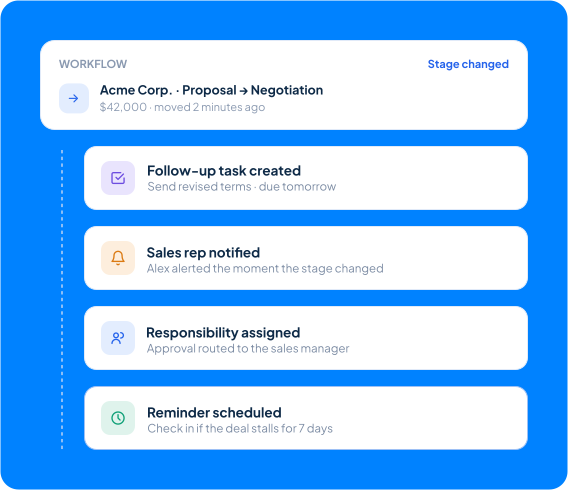
Automate Lead Follow-Up
Responding quickly and consistently can make the difference between winning a new customer and losing their interest.
With Workflow Automation, Claritysoft CRM can assign new leads, create follow-up tasks, notify sales representatives, and trigger reminders based on your qualification process. Combined with Email Integration, your team can keep important communications connected to the appropriate lead record.
Automation reduces administrative work while helping ensure every promising opportunity receives timely attention.
Built for Growing Businesses
Growing businesses need an organized way to respond to new opportunities without implementing complicated scoring systems or enterprise sales software.
Lead Management is part of the Claritysoft CRM platform, giving small and midsize sales teams a practical way to capture inquiries, maintain accountability, and qualify prospects. Your team can get started quickly, adapt the process to the way you sell, and continue refining it as your sales organization grows.
Whether you have one salesperson or an entire sales department, Claritysoft CRM helps everyone stay organized and focused on the right opportunities.
Simple enough to use every day. Flexible enough to grow with your business.
Explore Related CRM Capabilities
Web Forms
Capture new leads directly from your website.
Contact Management
Continue managing the relationship after a lead is qualified.
Sales Pipeline Management
Turn qualified interest into an active sales opportunity.
Activity Management
Track calls, emails, meetings, and follow-up tasks.
Email Integration
Keep prospect communications connected to the appropriate record.
Workflow Automation
Assign leads and create consistent follow-up processes.
Plan Availability
Included with Core and Complete.
Workflow Automation and certain advanced automation capabilities are available in the Complete plan.
Frequently Asked Questions
What is lead management in a CRM?
Lead management is the process of capturing, organizing, tracking, and qualifying prospective customers before they become active sales opportunities. A CRM gives your team one centralized place to manage each lead and ensure timely follow-up.
How can I track where my leads are coming from?
Can Claritysoft CRM automatically assign leads?
What is the difference between a Lead and a Contact?
A Lead is a prospective customer who has not yet been qualified. A Contact is an individual person your business has qualified or has an established relationship with. Separating leads from contacts helps your team focus on new prospects while keeping customer records organized.
What happens when a lead is qualified?
Once a lead is qualified, it can be converted into a Contact and moved into the sales process. Important information, notes, and activity history remain available so your team can continue the relationship without recreating the record.