Not everyone on your team needs access to everything.
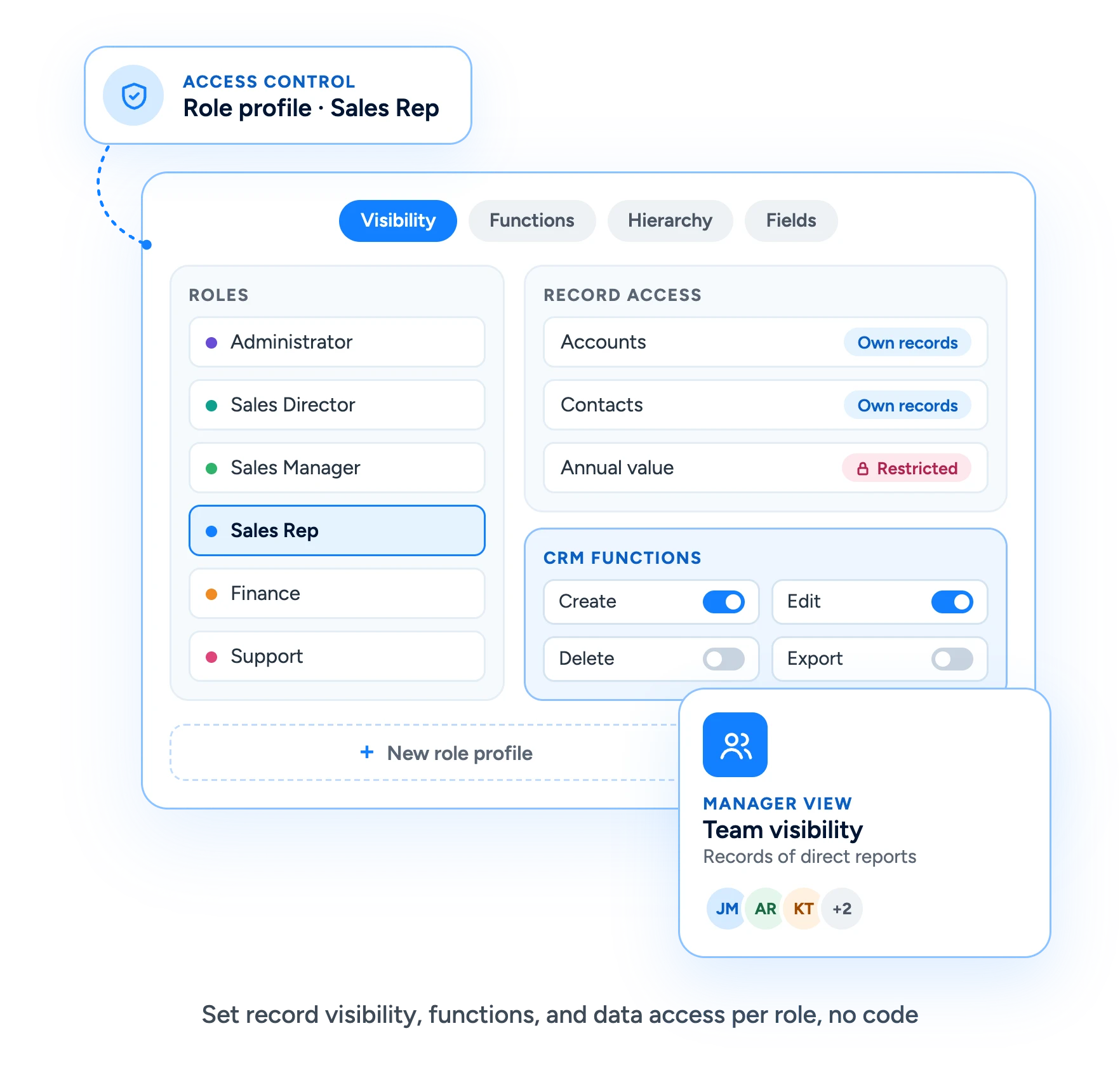
Role-based access control in Claritysoft CRM lets you decide which records each user can see and which CRM functions they can perform, based on your company’s own organizational structure.
Create role profiles, define hierarchical visibility, restrict access to sensitive data, and make sure sales reps see their own records while managers see the work of the people who report to them.
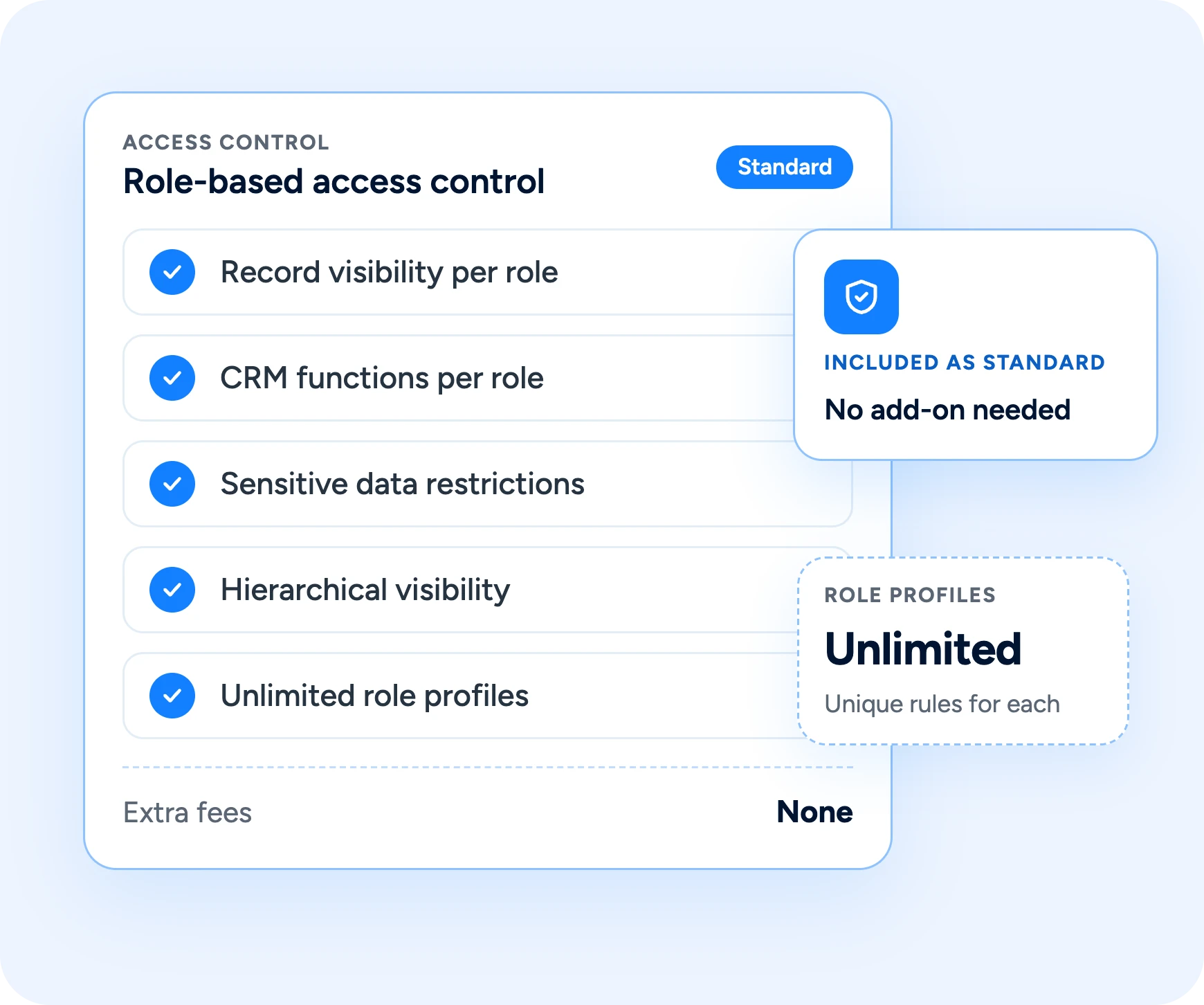
Role-based access control comes standard in Claritysoft CRM, with no extra fees.
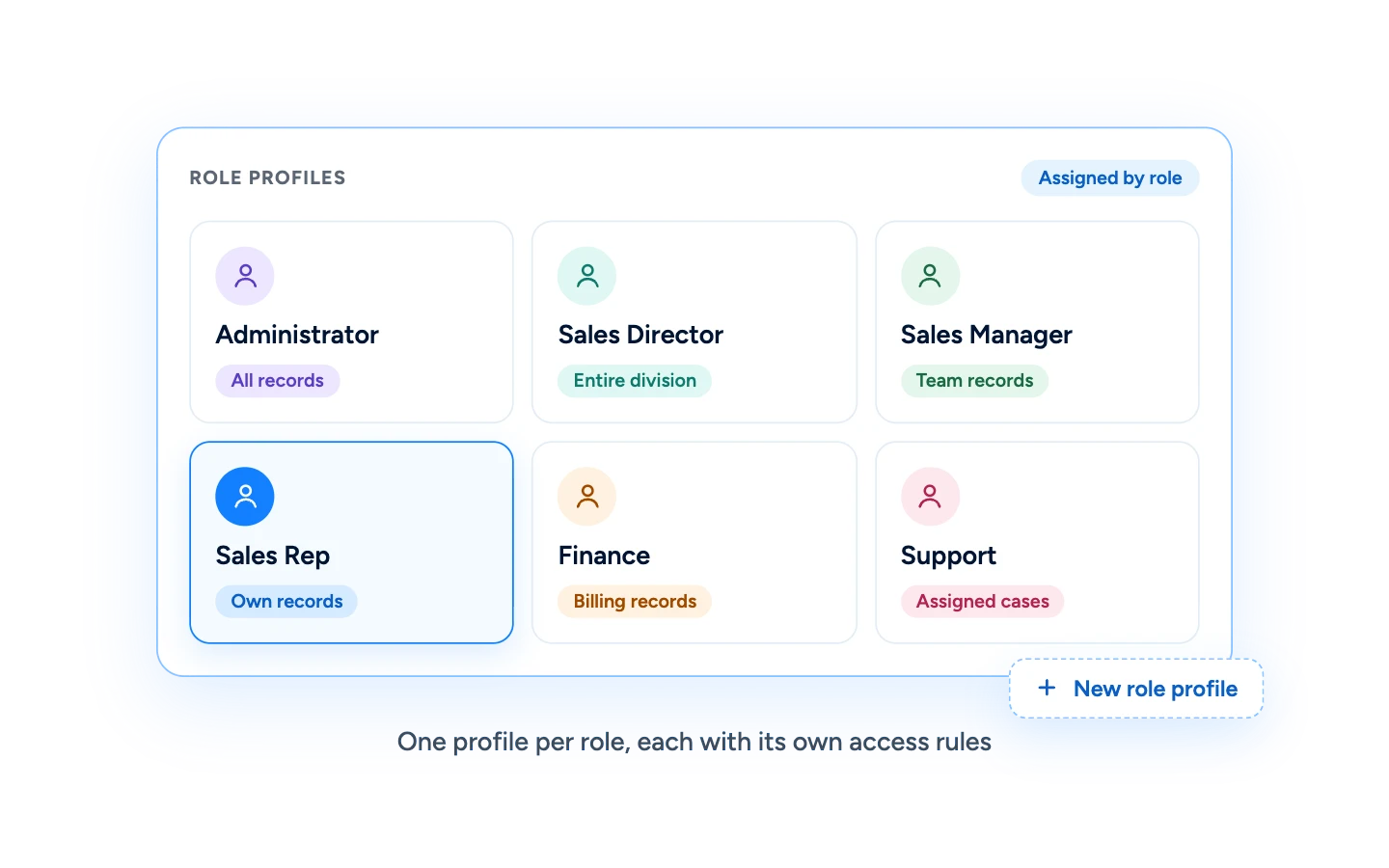
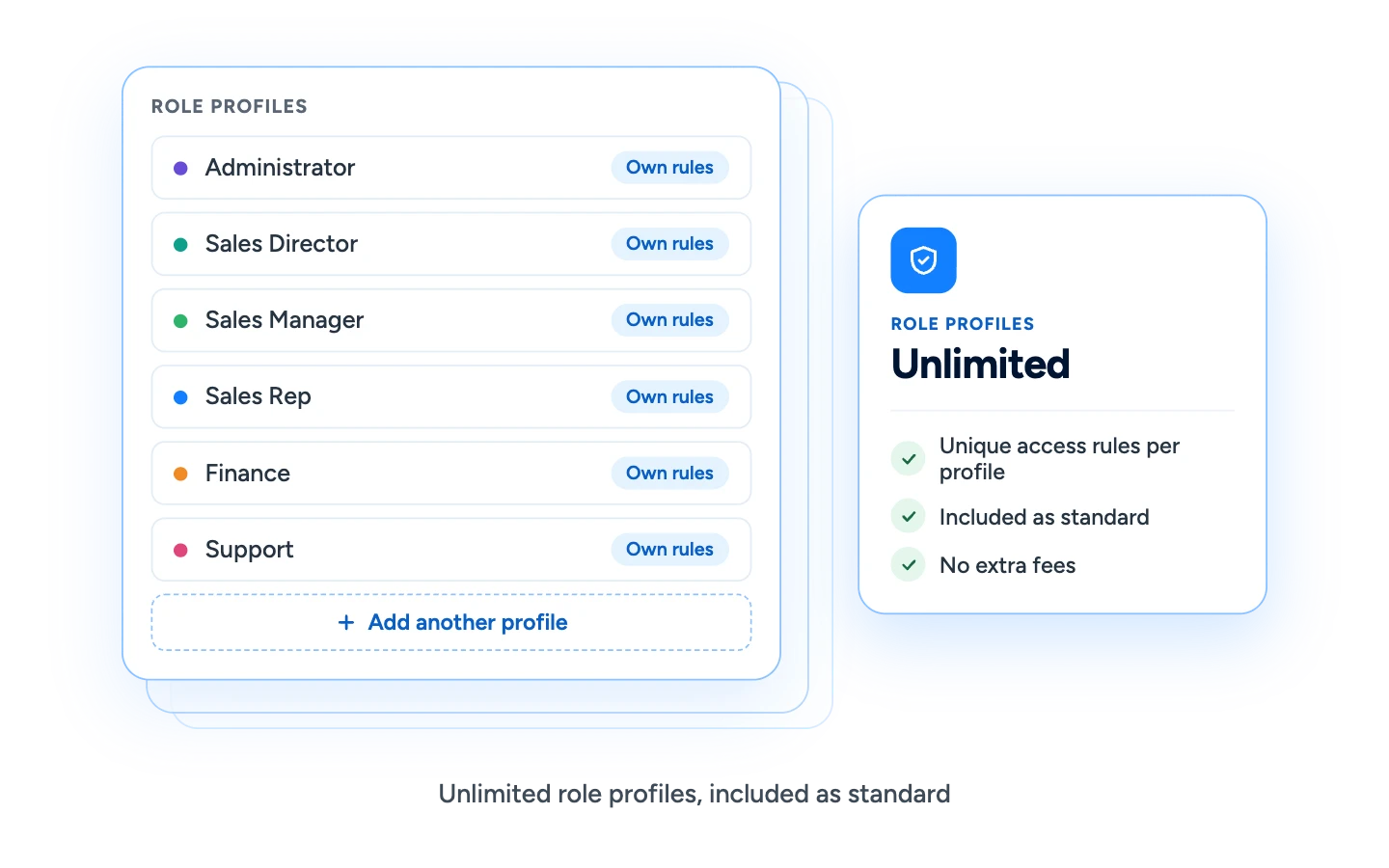
Create role profiles that reflect how your organization actually works, then assign users to them. Each profile carries its own access rules, so you set permissions once per role instead of once per person.
Decide Which Records Each Role Can See
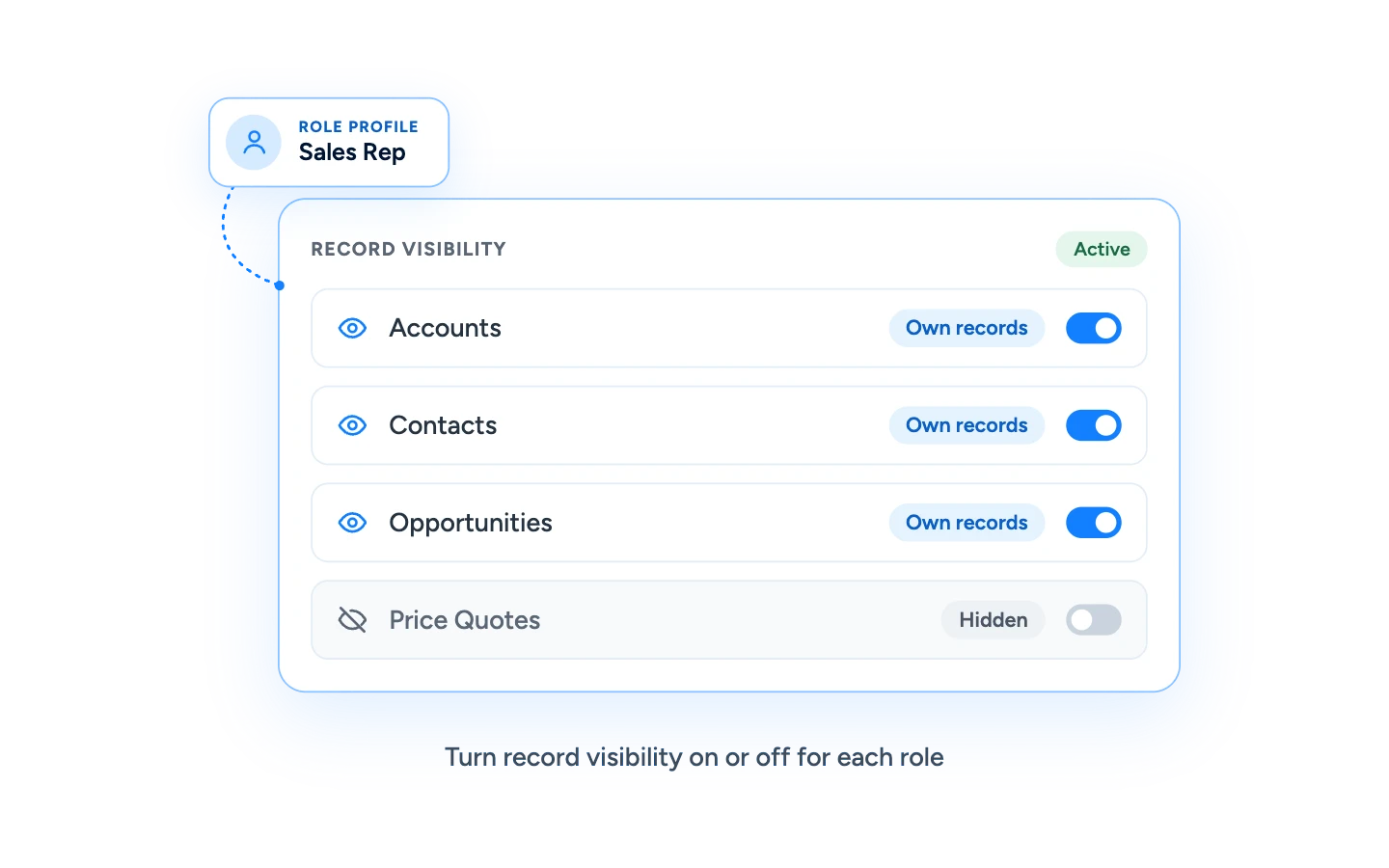
Use role-based access control to enable or disable record visibility. Give each role access to the customer information it needs and keep everything else out of view.
Control What Each Role Can Do
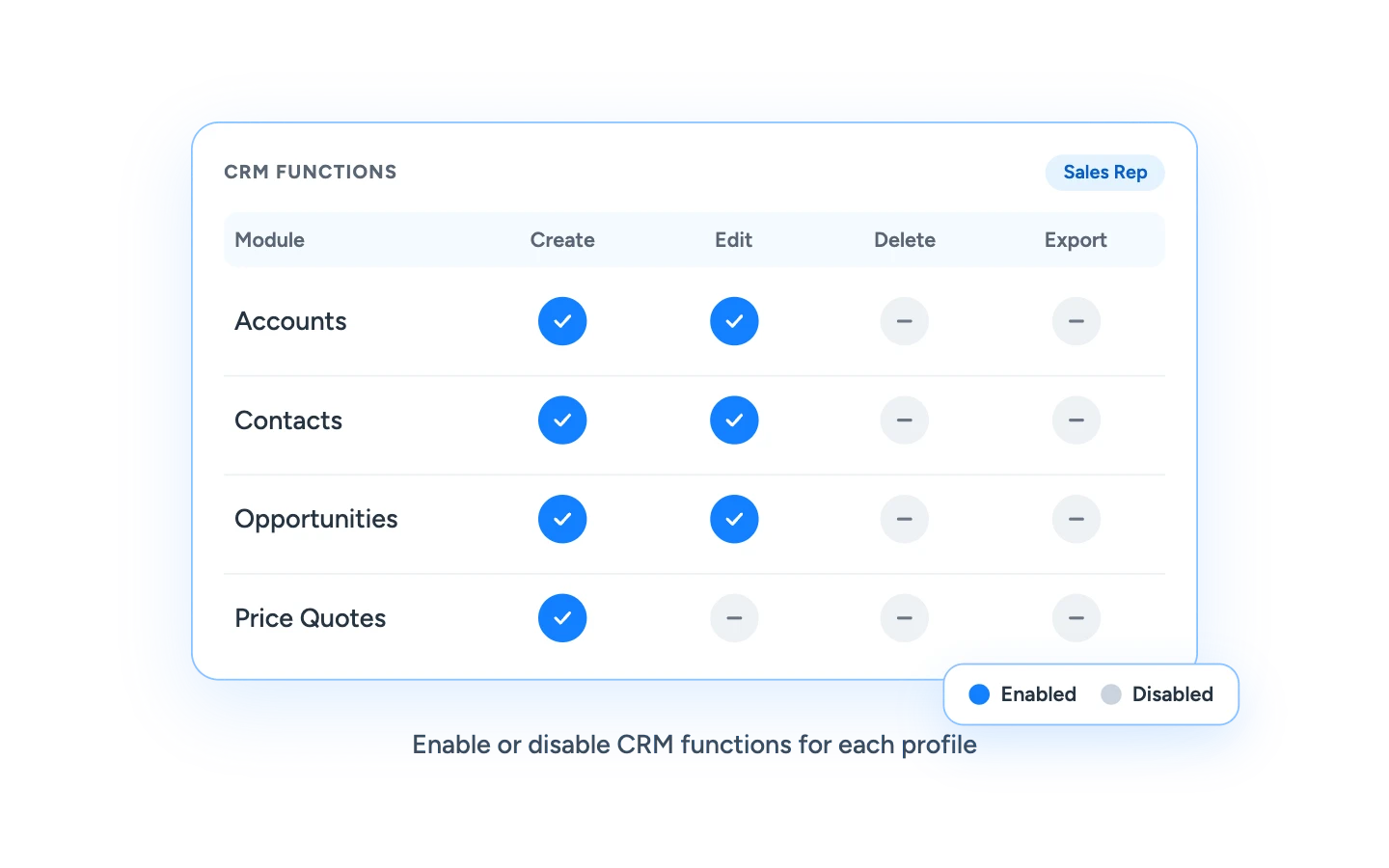
Beyond what users can see, you can control what they can do. Enable or disable CRM functions for each role so team members can perform the actions their job requires, and nothing more.
Mirror Your Organizational Structure
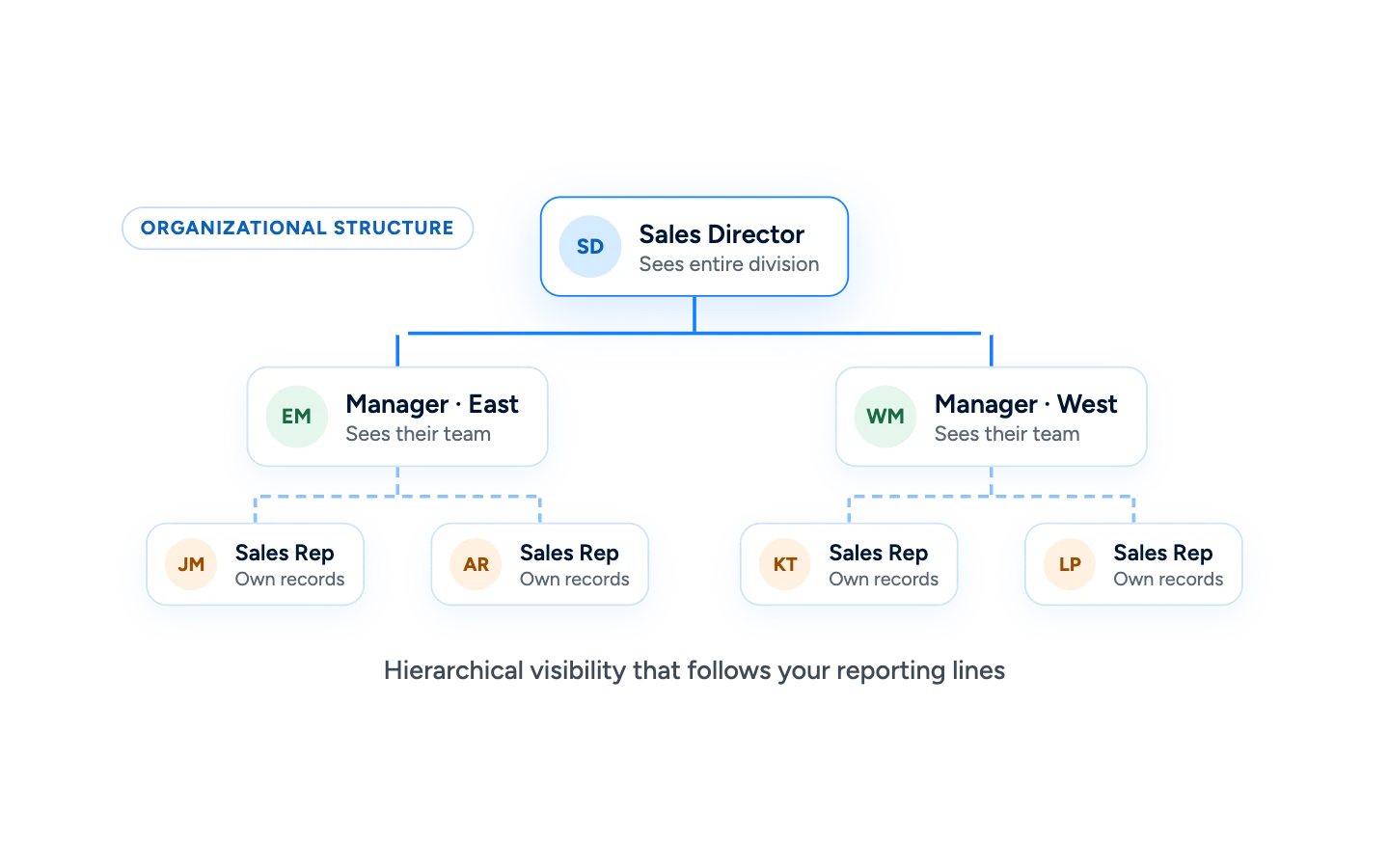
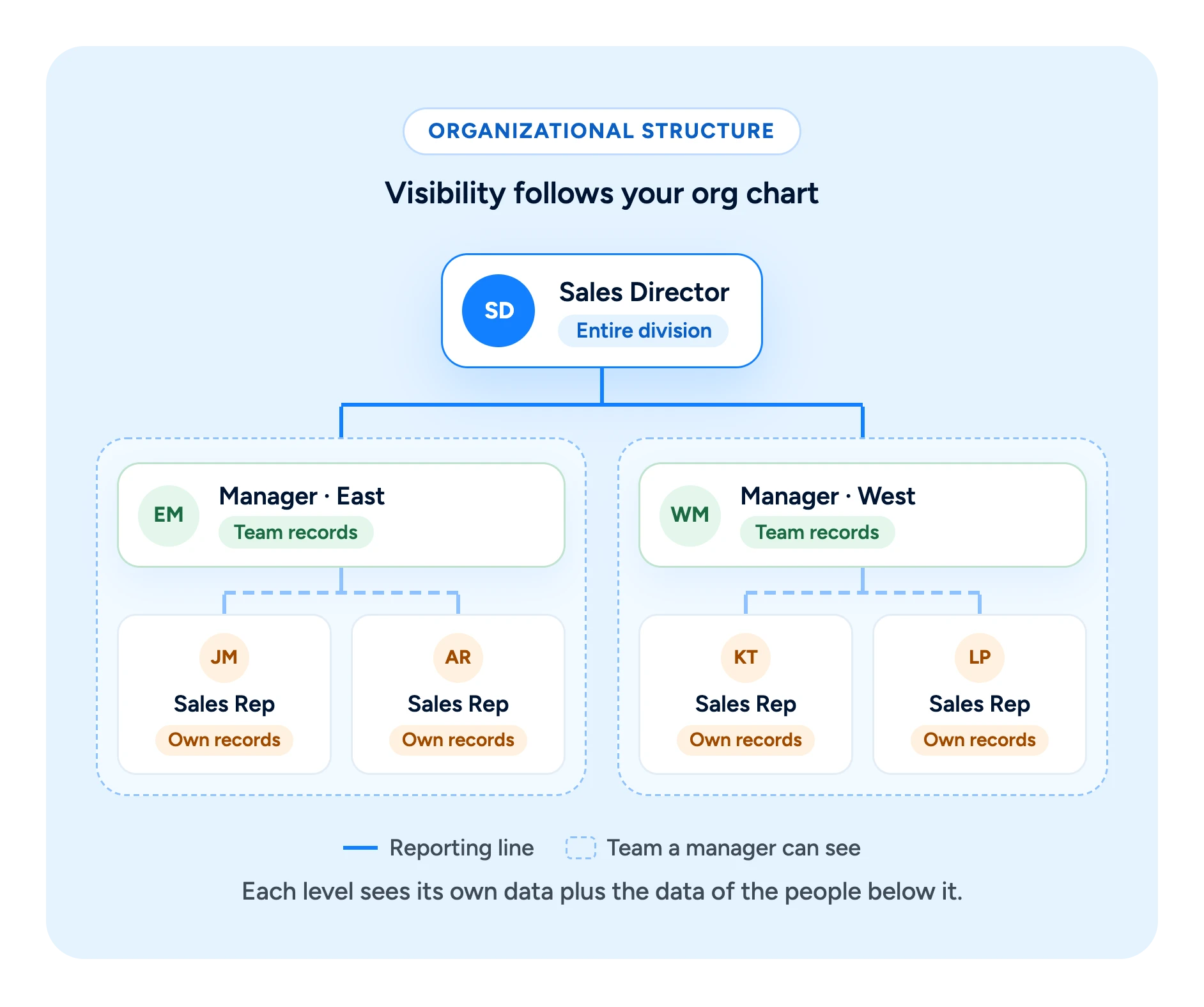
Create an organizational structure that defines hierarchical visibility. Access follows your reporting lines, so each level of the organization sees the data that belongs to it.
Keep Reps Focused on Their Own Data
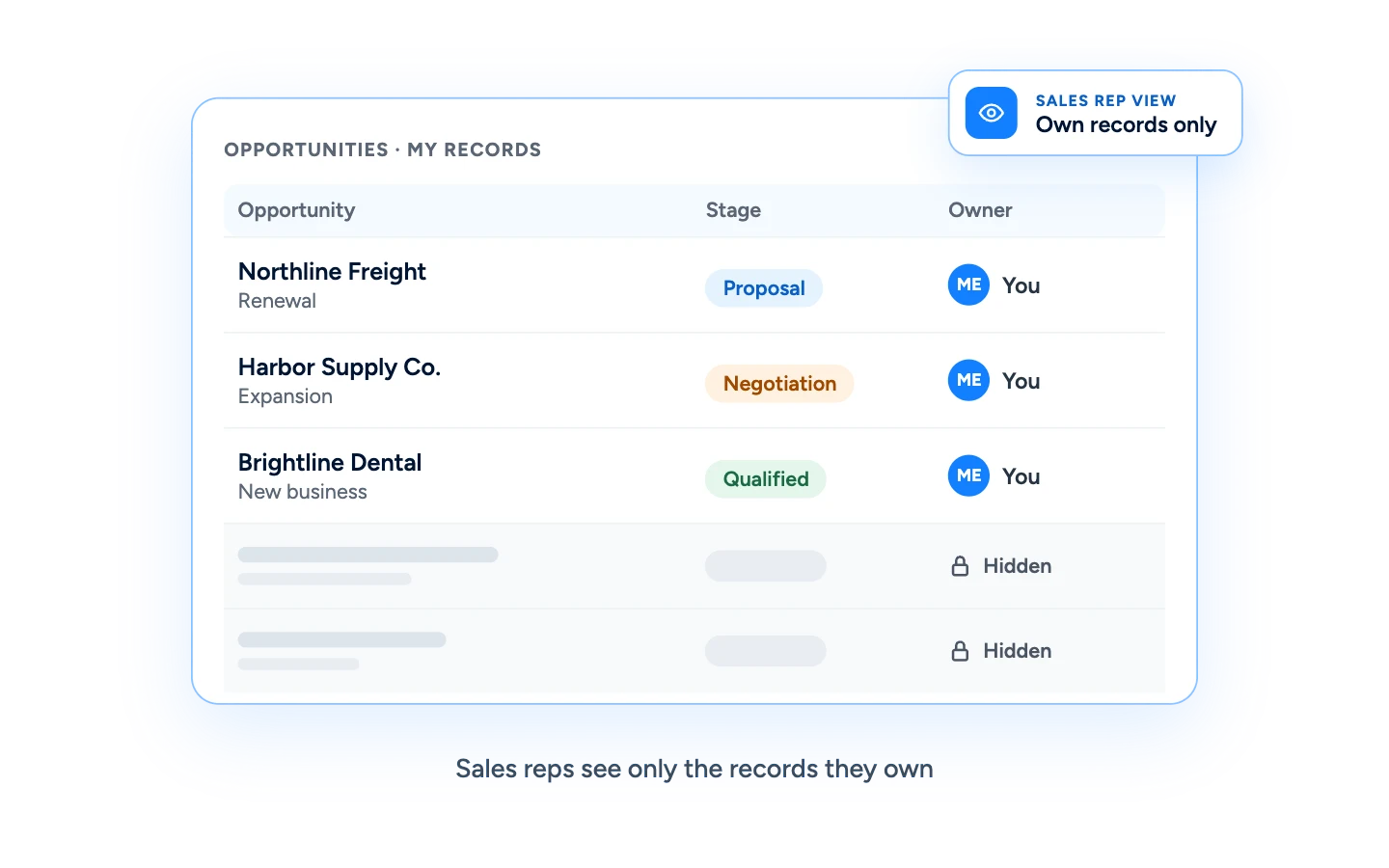
Create profiles so sales reps can only see their own data. Reps stay focused on their own accounts, contacts, and opportunities, and customer information stays with the people responsible for it.
Give Managers a View of Their Team
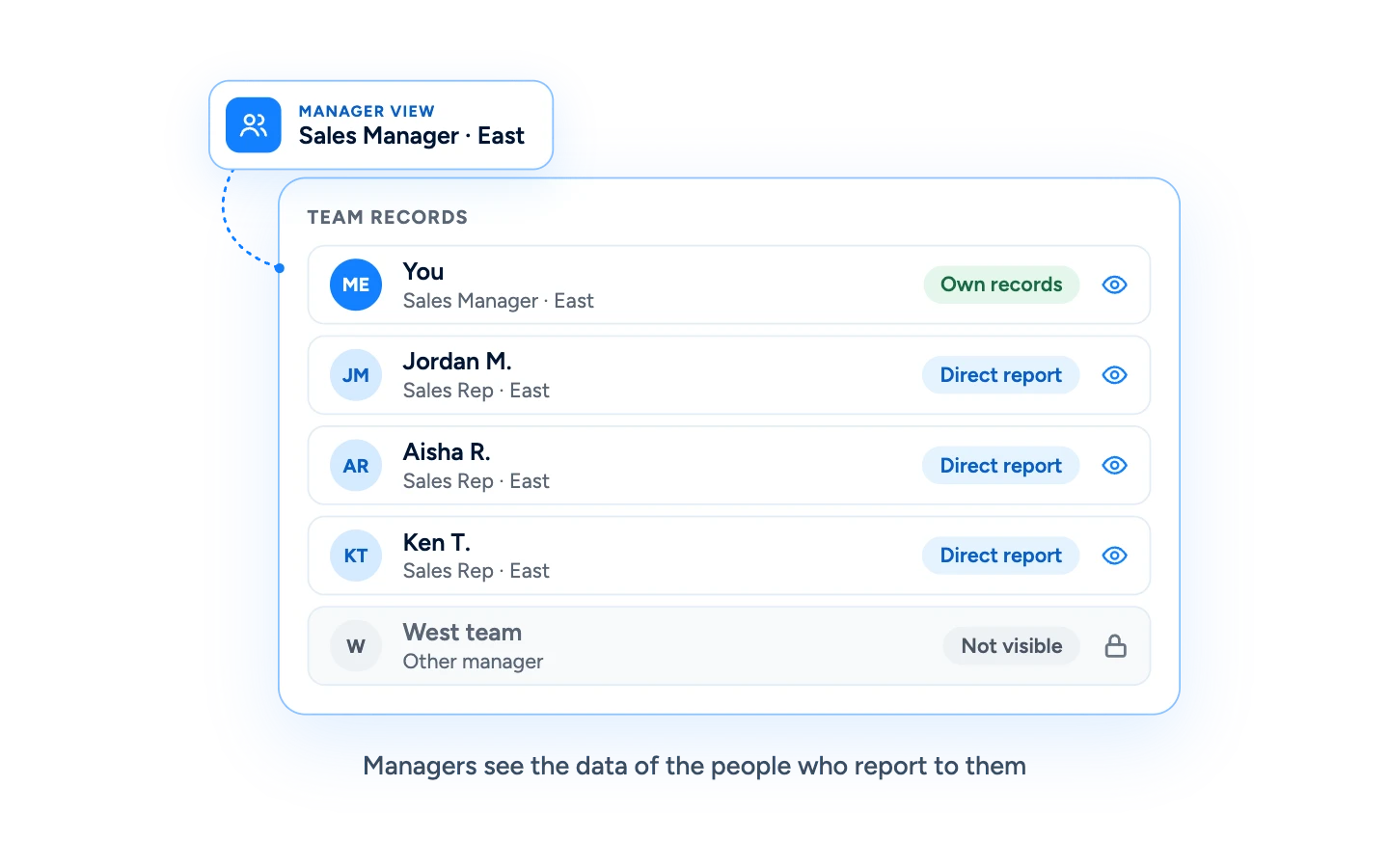
Define profiles so managers can only see the data of the people who report to them. Managers get the visibility they need to coach and forecast, without access to teams outside their responsibility.
Restrict Access to Sensitive CRM Data
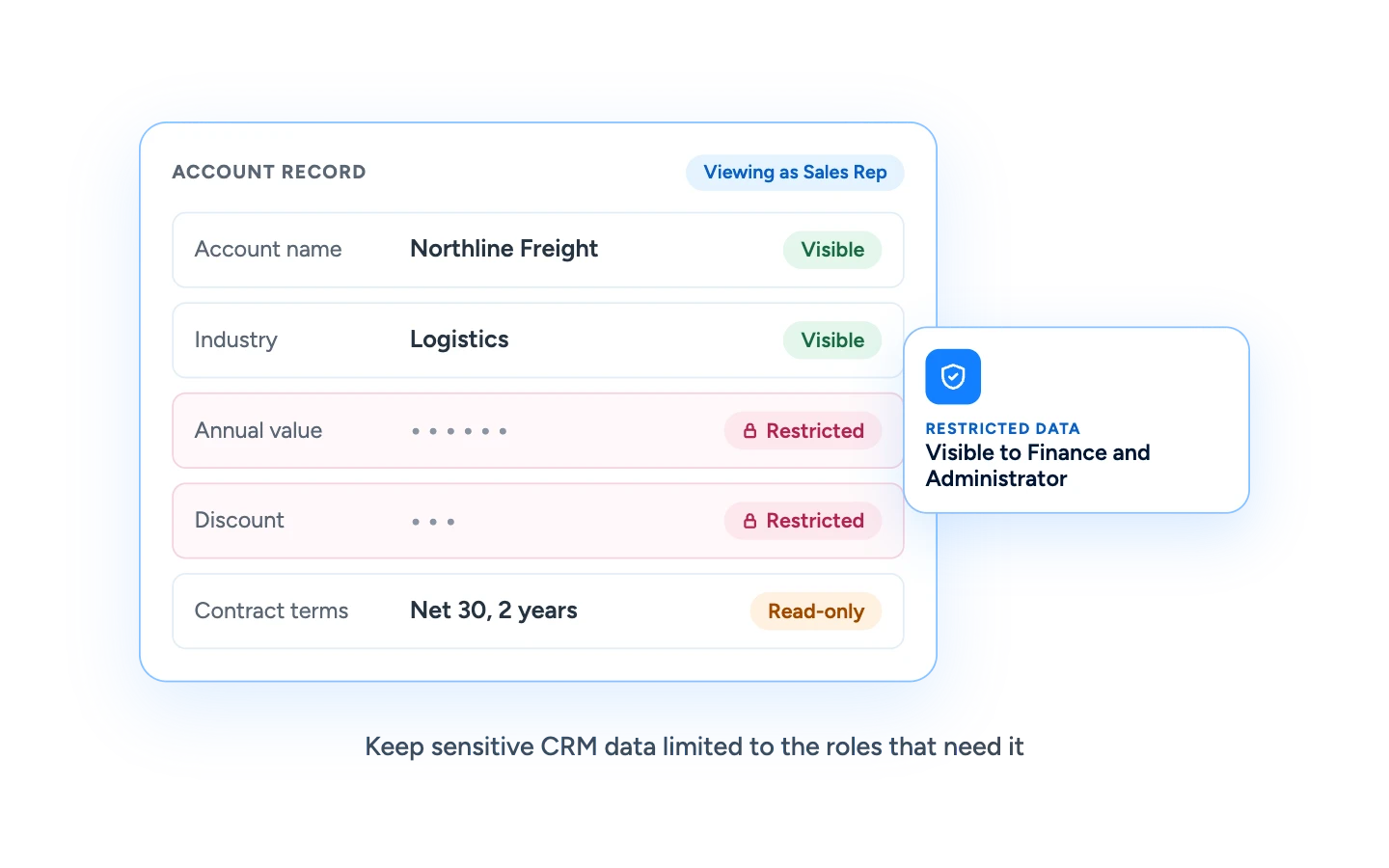
Some information should only be available to the people who need it. Restrict access to sensitive CRM data so it stays protected, while the rest of the record remains available to the team.
Create as Many Role Profiles as You Need
Define an unlimited number of role profiles and apply unique access control to each one. Role-based access control comes standard, and there are no extra fees for using it.
What Is CRM Access Control?
CRM access control is the set of rules that determines which users can view which customer records and which actions they can take inside the CRM.
Most businesses manage access with role-based access control: instead of configuring every user individually, you define role profiles, set what each profile can see and do, and assign users to the right profile.
In Claritysoft CRM, administrators can enable or disable record visibility and CRM functions per profile, define hierarchical visibility through an organizational structure, and restrict access to sensitive data. This keeps customer information secure while giving every team member the information they need to do their job.
Visibility That Matches Your Organization
Every company is structured differently, and your CRM access should reflect that.
With Claritysoft CRM you can build an organizational structure that defines hierarchical visibility. Sales reps can be limited to their own records, while managers see the records of everyone who reports to them.
As your team grows or changes, update the structure and the right people keep seeing the right data, without reconfiguring every user one by one.
Included as Standard
Protecting customer data should not be an upgrade.
Role-based access control comes standard in Claritysoft CRM. You can define an unlimited number of role profiles and apply unique access rules to each one, with no extra fees for access control.
Start with a few simple roles today, and add more as your organization grows.
Customer Ratings
Trusted by Teams Frustrated with Complex CRMs.
Rated best value and easiest to use by real customers. Trusted by thousands of teams since 2010.
4.7
★★★★★Rated 4.7 out of 5
Average across G2, Capterra, GetApp, SourceForge & Software Advice
“I’ve been using CRM for more than 15 years. I’ve never seen flexibility like this before.”
Dean H.
CTO
120+ reviews · Leader 2026
★★★★★Rated 4.9 out of 5
4.9
160+ reviews · Category Leader
★★★★★Rated 4.6 out of 5
4.6
240+ reviews · Best Value 2026
★★★★★Rated 4.5 out of 5
4.5
160+ reviews · Front Runner
★★★★★Rated 4.6 out of 5
4.6
G2.com
100+ reviews · High Performer
★★★★★Rated 4.3 out of 5
4.3
Explore Related CRM Capabilities
Custom Modules
Create custom object modules for information unique to your business.
CRM access control is the set of rules that determines which users can view which records and which actions they can take in the CRM. It keeps customer information secure while giving each team member the data they need.
What is role-based access control?
Role-based access control assigns permissions to role profiles instead of individual users. You define what each profile can see and do, then assign users to the right profile.
Can sales reps be limited to their own data?
Yes. You can create profiles so sales reps can only see their own records.
Can managers see their team's data?
Yes. Using an organizational structure with hierarchical visibility, you can define profiles so managers see the data of the people who report to them.
Can I restrict specific CRM functions?
Yes. Role-based access control lets you enable or disable CRM functions for each role, in addition to controlling record visibility.
Can I restrict access to sensitive data?
Yes. You can restrict access to sensitive CRM data so only the roles that need it can see it.
How many role profiles can I create?
You can define an unlimited number of role profiles and apply unique access control to each one.
Does access control cost extra?
No. Role-based access control comes standard in Claritysoft CRM, with no extra fees.
Ready to Control Access the Way Your Team Works?
Set up role profiles, hierarchical visibility, and data restrictions so every user sees exactly what they need in Claritysoft CRM.